4-41
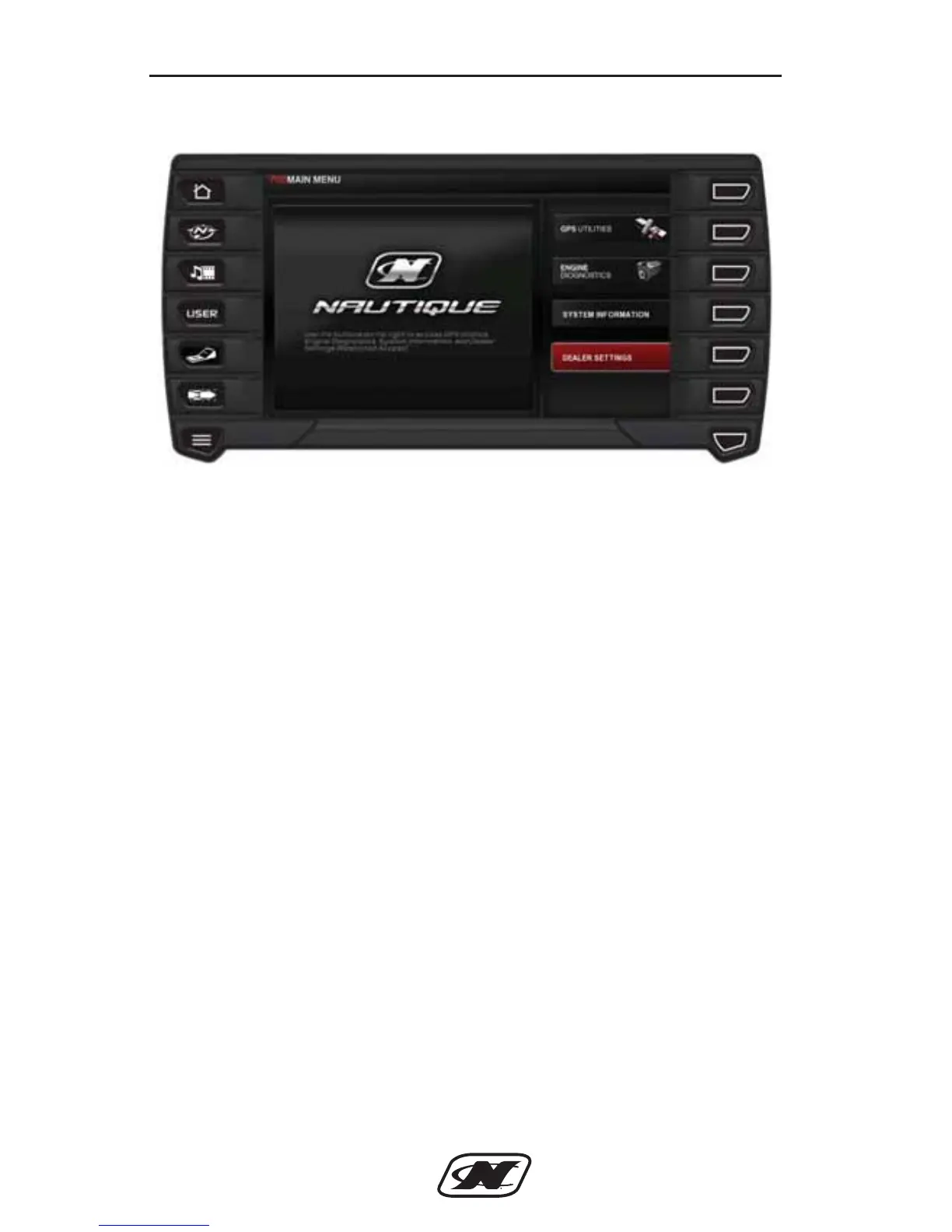
MENU Options
The menu options are accessible by pressing the SYSTEM
SETTINGS button on the PREFERENCES screen. The following
features are available:
• GPS Utilities – contains options to set up track and
position, chart and time, and waypoint manager. Also
displays satellite status.
• Engine Diagnostics – displays a list of engine fault codes
and descriptions; on some engines, corrective action will be
shown.
• System Information – allows you to customize the display
options for ambient light and brightness, set US or metric
units, specify the Home screen and screen setup status.
• Dealer Settings – allows the dealer to select specific settings
for a boat model. This area is protected and a dealer must
enter a dealer code to proceed.
Controls and Indicators
D-Drive Sec 4_2013_Nautique Ski Sec 4.qxd 7/3/12 10:15 AM Page 41







 To Next Page