EasyManua.ls Logo

Corsair TX-M Series - User Manual

Corsair TX-M Series
68 pages
Print Icon
To Next Page IconTo Next Page
Loading...
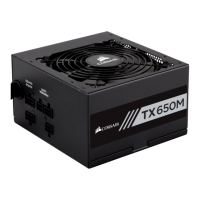
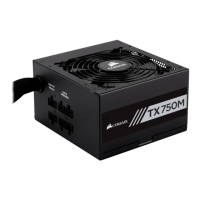
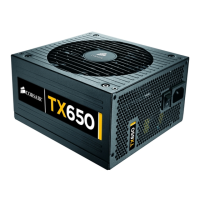
TX550M | TX650M | TX750M
WEB: corsair.com
PHONE: (888) 222-4346
SUPPORT: support.corsair.com
BLOG: corsair.com/blog
FORUM: forum.corsair.com
YOUTUBE: youtube.com/corsairhowto
© 2021 CORSAIR MEMORY Inc. All rights reserved. CORSAIR and the sails
logo are registered trademarks in the United States and/or other countries.
All other trademarks are the property of their respective owners. Product may
vary slightly from those pictured. 49-002492 AA
TX-M SERIES
TM
High Performance ATX Power Supply
TX-M SERIES
TM
Question and Answer IconNeed help?

Do you have a question about the Corsair TX-M Series and is the answer not in the manual?

Summary

Introduction

Safety and Protection

Over-Voltage Protection (OVP)

Ensures PSU shuts down if DC outputs exceed set levels for 12V, 5V, and 3.3V rails.

Over-Current Protection (OCP)

Protects 3.3V, 5V, and 12V rails by keeping output within safe operating limits.

Over-Temperature Protection (OTP)

Shuts down PSU when internal temperature reaches a set point, preventing damage.

Short-Circuit Protection (SCP)

Shuts down PSU during short circuits to prevent damage to the unit or components.

TX550 M Included Hardware and Specifications

TX650 M Included Hardware and Specifications

TX750 M Included Hardware and Specifications

Corsair TX-M Series Cable Information

Installing Your New TX-M Series Power Supply

Step 1: Removing Your Existing PSU

Instructions for safely disconnecting and uninstalling the old power supply unit from the system.

Step 2: Installing the New Power Supply

Guidance on connecting the new TX-M series PSU, including cable management and motherboard connections.

Summary

Introduction

Safety and Protection

Over-Voltage Protection (OVP)

Ensures PSU shuts down if DC outputs exceed set levels for 12V, 5V, and 3.3V rails.

Over-Current Protection (OCP)

Protects 3.3V, 5V, and 12V rails by keeping output within safe operating limits.

Over-Temperature Protection (OTP)

Shuts down PSU when internal temperature reaches a set point, preventing damage.

Short-Circuit Protection (SCP)

Shuts down PSU during short circuits to prevent damage to the unit or components.

TX550 M Included Hardware and Specifications

TX650 M Included Hardware and Specifications

TX750 M Included Hardware and Specifications

Corsair TX-M Series Cable Information

Installing Your New TX-M Series Power Supply

Step 1: Removing Your Existing PSU

Instructions for safely disconnecting and uninstalling the old power supply unit from the system.

Step 2: Installing the New Power Supply

Guidance on connecting the new TX-M series PSU, including cable management and motherboard connections.

Corsair TX-M Series Specifications

General IconGeneral
BrandCorsair
ModelTX-M Series
CategoryPower Supply
LanguageEnglish

Related product manuals