After installation is complete, reboot your PC, and launch CUE.
You can use it to:
Select and customize audio equalizer (EQ) settings.
Adjust headset volume, microphone input volume, and microphone feedback.
Set Dolby Headphone 7.1 SURROUND sound on or off
The software’s built-in documentation explains how to use the VOID PRO SURROUND Headset features in greater
detail.
GENERAL TIPS
7 ENGLISH
For the best audio performance:
Download the Corsair Utility Engine software from
corsair.com/support/downloads
Don’t be afraid to use the software equalizer to adjust the audio quality to your liking. EQ presets have been
provided for popular gaming and media types.
Prolonged listening at high volumes may adversely affect your hearing. Take breaks between sessions and always
begin with the volume at the lowest possible level before increasing.
ADJUSTMENT
8 ENGLISH
As with any audio product, reduce the volume before trying it with an audio source the first time.
You can adjust the volume with:
The “CUE Control” is the digital volume controller on the headset at the
bottom corner of your left earcup: hold or repeatedly toggle it downwards to reduce volume, and upwards in
short increments to increase volume.
The standard Windows audio controller can also be used to adjust volume.
Once an audio source is playing, set the volume to a comfortable level.
MICROPHONE ADJUSTMENT
9 ENGLISH
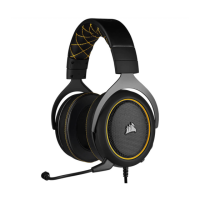
Your new VOID PRO SURROUND Headset features a high performance “unidirectional” microphone
designed to reject noise other than your voice, but it must be pointed directly at your mouth to function
correctly.
Bend the flexible microphone boom to best fit near to the left corner of your mouth.
For improved voice quality, the included microphone foam windscreen may be applied over the microphone
head.
We’ve found that about a 30 degree bend is a good place to start, but feel free to increase or decrease this if
your mic is too loud or too soft.
Enjoy your Corsair VOID PRO SURROUND Headset! If you have any questions or comments, see the back panel of
this guide for contact information.



 To Next Page