7
ENGLISH
8
GENERAL TIPSCORSAIR UTILITY ENGINE
• Go to corsair.com/support/downloads to download the Corsair Utility
Engine (‘CUE’) Software
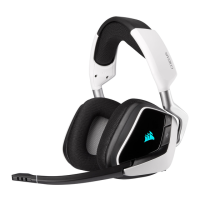
Using the CUE software will enable the full feature set of the VOID USB
Headset. Note: if the VOID headset is used without software, some
features will be disabled.
• Install the software on a PC running Windows 7, 8.1 or later
• After installation is complete, reboot your PC, and launch CUE.
You can use it to:
• Choose your RGB color preference and light intensity
• Select and customize audio equalizer (EQ) settings
• Adjust headset volume, microphone input volume, and microphone
feedback
• Set Dolby on or o
• Adjust the intensity and interval of the InfoMic display LED indicators
The software’s built-in documentation explains how to use the VOID USB
Headset features in greater detail.
For the best audio performance:
• Download the Corsair Utility Engine software from
corsair.com/support/downloads
• Don’t be afraid to use the software equalizer to adjust the audio quality
to your liking. EQ presets have been provided for popular gaming and
media types.
Prolonged listening at high volumes may adversely aect your hearing.
Take breaks between sessions and always begin with the volume at the
lowest possible level before increasing.
ENGLISH




 To Next Page