15ASSEMBLY INSTRUCTIONS |
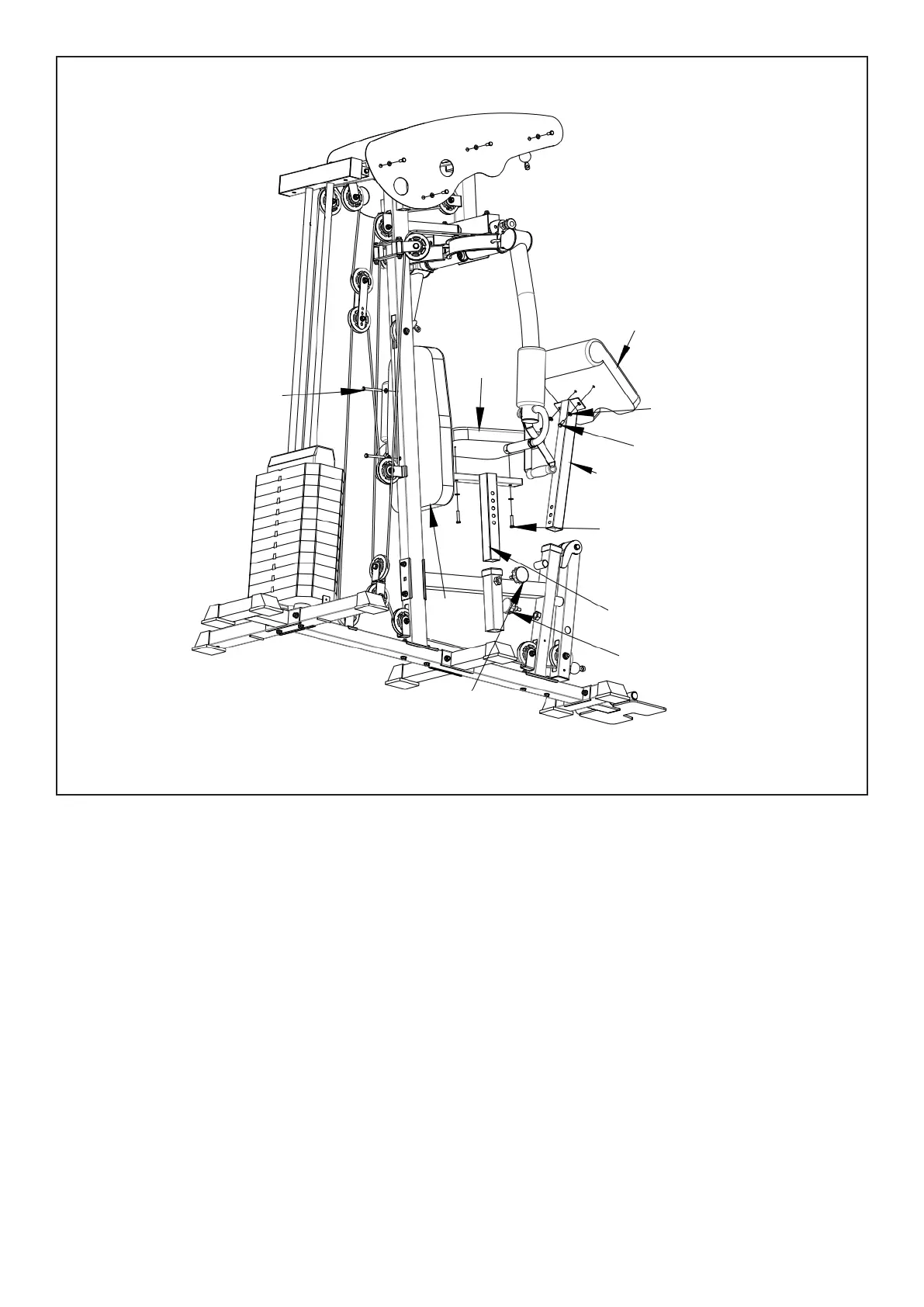
1. Install (#19) on two (#10) with (#56-9) bolts, (#56-12) flat gasket as shown in the figure.
2. Install (#20) with two (#56-8) bolts and (#56-12) flat gasket onto (#17).
3. Install (#21) with two (#56-7) bolts and (#56-12) spacers on (# 18).
4. Insert (#17) into (#11) and lock with (# 54-4) knob. Insert (#18) to (#11) and lock with (#54-4) knob.
STEP 7
56-12
56-7
56-8
56-9
21
18
17
19
20
54-4
54-4



 To Next Page