7
5-3. Measurement
1) Rotate the selector switch to “MEAS” and shift to the
measurement mode.
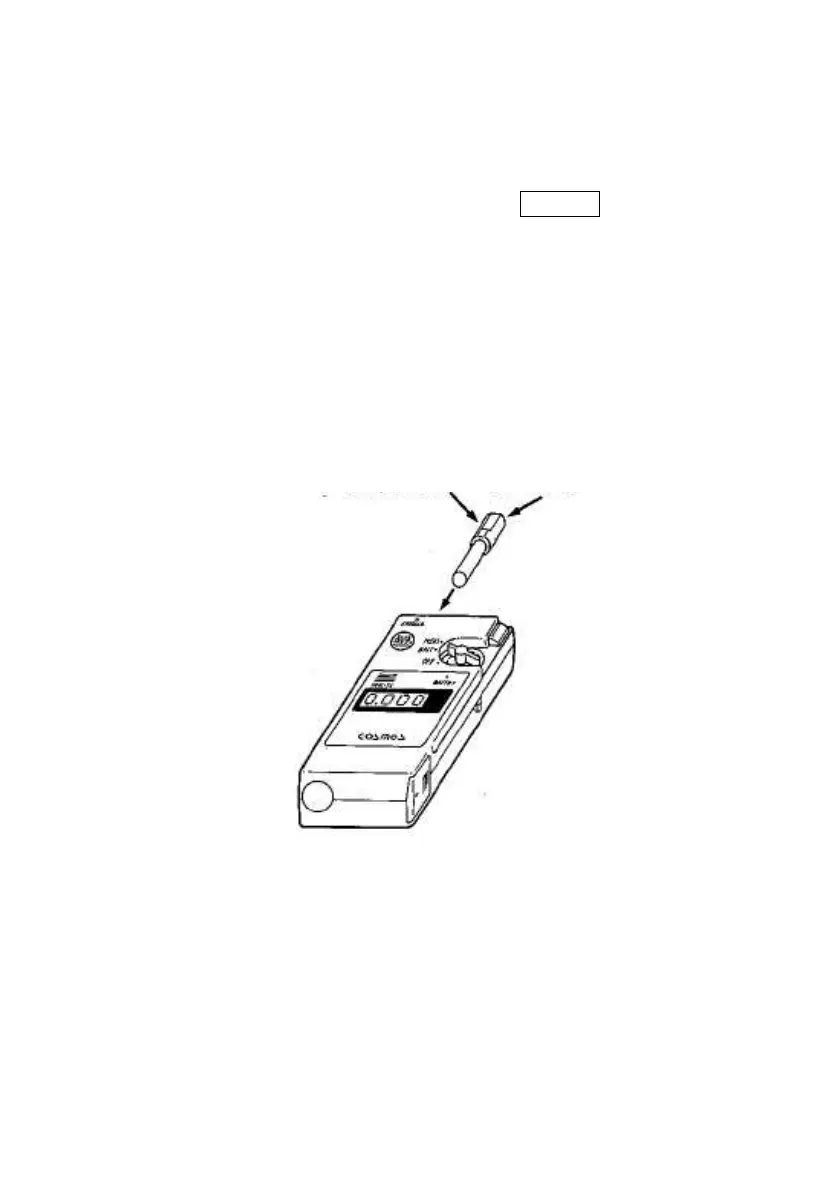
2) Check to see that the display indicates 0. 000 , then insert the
sampling container containing the sample grease into the sample
port. (Refer to 5-4. regarding procedures for the collection of
sample grease.)
* The sampling container must be inserted with the collected
grease facing upward (same direction as the front surface of the
instrument.)
3) An audible beep will sound for 2-3 seconds after the sampling
container has been inserted indicating the measurement has
been completed, and the reading is held, read and record the
reading.
This surface to face upward
Sampling container



 To Next Page