EasyManua.ls Logo

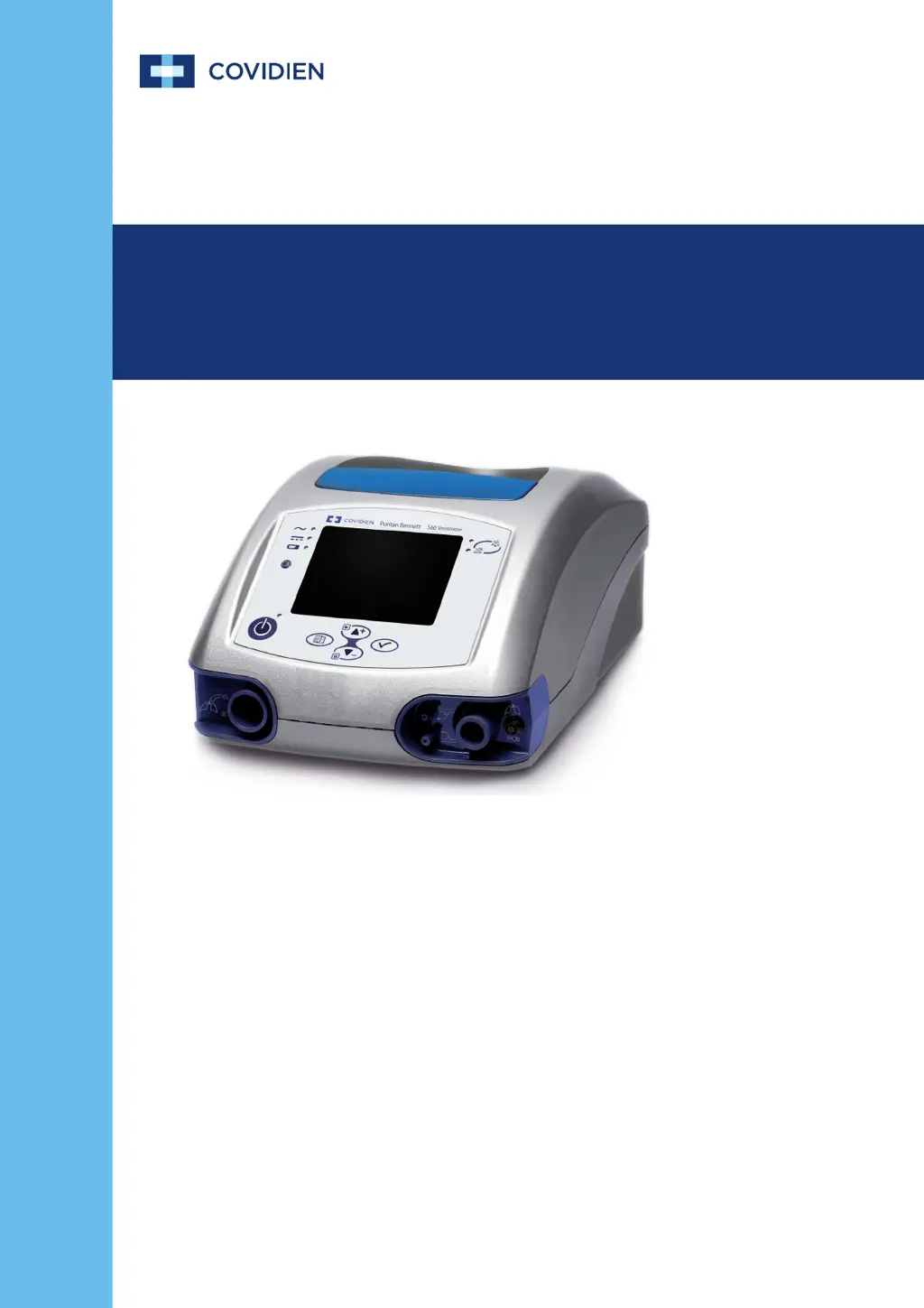
Covidien Puritan Bennett 560 - User Manual

Covidien Puritan Bennett 560
150 pages
Print Icon
To Next Page IconTo Next Page
Loading...
User’s Manual
Puritan Bennett
560 Ventilator
TM

Table of Contents

Questions and Answers

  • R
    rachel95Aug 17, 2025
    How to fix 'CHECK EXH VALVE' error on Covidien Puritan Bennett 560 Medical Equipment?
    • S
      Sarah YoungAug 17, 2025
      If the Covidien Medical Equipment is showing 'CHECK EXH VALVE', clean or replace the exhalation valve and/or its control tube. Also, remove any excessive moisture from the exhalation block and valve.
  • C
    Crystal ChristensenAug 20, 2025
    What does 'BATTERY FAULT1 RESTART/SRVC' mean on Covidien Medical Equipment?
    • J
      James BaileyAug 20, 2025
      If the Covidien Medical Equipment shows 'BATTERY FAULT1 RESTART/SRVC', restart the ventilator to see if the alarm clears. If it does not, replace the ventilator and call your customer service representative, as this indicates a battery problem that prevents it from operating.
  • M
    Mrs. Tiffany SantiagoAug 22, 2025
    What does 'BATTERY FAULT2 RESTART/SRVC' mean on Covidien Puritan Bennett 560?
    • A
      Amanda BrownAug 22, 2025
      If the Covidien Medical Equipment displays 'BATTERY FAULT2 RESTART/SRVC', restart the ventilator to see if the alarm clears. If the alarm persists, replace the ventilator and contact your customer service representative. This indicates that the internal battery is either missing or not detected.
  • J
    James RogersAug 25, 2025
    What does 'BUZZER FAULT1 RESTART/SRVC' mean on Covidien Medical Equipment?
    • T
      Tracy CooperAug 26, 2025
      If the Covidien Medical Equipment displays 'BUZZER FAULT1 RESTART/SRVC', restart the ventilator to see if the alarm clears. If not, replace the ventilator and call your customer service representative. This indicates a defective operation of the buzzers, meaning there's no audible tone when an alarm is activated.
  • J
    John ArnoldAug 27, 2025
    What to do if Covidien Puritan Bennett 560 shows 'CALIBRATION FAIL'?
    • S
      Scott McintyreAug 27, 2025
      To solve the 'CALIBRATION FAIL' error on the Covidien Medical Equipment, restart the calibration process. This error indicates that there may be a leak in the circuit.
  • R
    Robert HarperAug 30, 2025
    What does 'BUZZER FAULT2 RESTART/SRVC' mean on Covidien Puritan Bennett 560?
    • H
      Heather CruzAug 30, 2025
      If the Covidien Medical Equipment shows 'BUZZER FAULT2 RESTART/SRVC', ensure that the protective cover over the I/O switch located on the rear of the device is intact and functioning properly. This issue relates to an internal technical problem that prevents the very high priority “POWER SUPPLY LOSS” alarm from triggering.
  • S
    Shannon CoxSep 1, 2025
    What to do if Covidien Puritan Bennett 560 shows 'HIGH PRESSURE' alarm?
    • J
      johnroySep 1, 2025
      If the Covidien Medical Equipment shows a 'HIGH PRESSURE' alarm, it could be due to several reasons. First, the 'Max PIP' setting might be too low, so try increasing the Max PIP threshold. Second, there may be an airway obstruction, so check the patient’s trachea and clear any obstruction. Finally, it could be due to defective internal circuits or pressure sensor, in which case the ventilator should be replaced, and customer service should be contacted.
  • K
    Kenneth DiazSep 4, 2025
    What to do if Covidien Puritan Bennett 560 displays 'LOW BATTERY'?
    • K
      katie01Sep 4, 2025
      If your Covidien Medical Equipment displays a 'LOW BATTERY' warning, immediately connect the ventilator to an AC power outlet or an external DC power source. This indicates that the internal battery capacity is low (less than 30 minutes or 8%) due to extended battery operation.
  • L
    Leslie JonesSep 6, 2025
    How to fix AC power disconnection on Covidien Puritan Bennett 560 Medical Equipment?
    • O
      owilliamsSep 6, 2025
      If the Covidien Medical Equipment is not working because of 'AC POWER DISCONNECTION', first cancel the alarm. Then, check the supply cable and verify the voltage availability at the AC power port. If the problem persists, the current-limiting fuse of the device might have blown, in this case, replace the ventilator and call for the maintenance technician.
  • T
    tyoungSep 9, 2025
    What to do if Covidien Puritan Bennett 560 displays 'APNEA'?
    • D
      dhintonSep 9, 2025
      If the Covidien Medical Equipment displays 'APNEA', ensure the patient is breathing and adjust the inspiratory setting appropriately based on patient’s respiratory needs. If the patient is experiencing apnea, examine the patient for breathing effort and stimulate if necessary. If the issue persists, defective sensors may be the cause, in which case a qualified technician should replace the defective components, and your customer service representative should be contacted.

Summary

Safety Information and Warnings

Definitions and Symbols

Explains manual indicators (Warning, Caution, Note) and common symbols.

General Warnings and Precautions

Covers critical warnings for patient safety, operation, and environment.

Symbols and Markings Reference

Lists and describes ventilator symbols and their meanings.

Ventilator Labels and Markings

Details specific labels on the ventilator and their locations.

Ventilator Overview and Components

Indications for Use

Specifies target patients, environments, and intended use of the ventilator.

Operational Use and Ventilation Modes

Describes how the ventilator operates and available ventilation modes.

Front and Back Panel Component Identification

Identifies and explains key components on the front and back panels.

Menu Navigation and System Screens

Details how to navigate menus like Ventilation, Alarm, and USB.

Alarms and Troubleshooting Guide

Alarm Level of Priority and Display

Classifies alarms by criticality and explains how they are displayed visually and audibly.

Alarm Logs and Management

Covers accessing alarm logs and managing active alarms (silencing, pausing).

Troubleshooting Common Alarms

Provides guidance on identifying causes and corrective actions for common alarms.

Installation and Assembly Procedures

Initial Ventilator Installation and Setup

Instructions for selecting a location and setting up the ventilator.

Power Source Connections

Guides on connecting AC and DC power sources for ventilator operation.

Patient Circuit and Oxygen Supply Setup

Steps for connecting patient circuits and oxygen supply.

Filter and Accessory Installation

Details installation of filters, humidifier, and exhalation block.

Operating Procedures

Turning on the Ventilator and System Initialization

Step-by-step instructions for powering on and initializing the ventilator.

USB Memory Device Operations

Explains using the USB menu for data transfer (continuous and trends).

Starting and Stopping Ventilation

Procedures for initiating and terminating patient ventilation.

Turning Off the Ventilator

Instructions on how to safely power down the ventilator.

Internal Battery Management

Battery Capacity and Indicators

Details battery reserve capacity and visual indicators on the device.

Battery Operation and Handling

Explains how the ventilator uses the internal battery and related alarms.

Battery Testing, Recharging, and Storage

Procedures for testing battery health, recharging, and proper storage.

Routine Maintenance Procedures

Air Inlet Filter Replacement

Steps for checking and replacing the air inlet filter for proper function.

Recommended Maintenance Schedule

Outlines intervals for replacing consumables and performing routine maintenance.

Service Assistance and Support

Provides guidance on obtaining service and contacting technical support.

Alarms Tests and Verification

Low Pressure Test Procedure

Verifies the proper setting of Min PIP and PATIENT DISCONNECTION alarms.

Power Failure and Occlusion Test

Checks ventilator response to power loss and circuit occlusion.

Battery Test and Involuntary Stop Test

Verifies battery functionality and high-priority alarm during involuntary stop.

Covidien Puritan Bennett 560 Specifications

General IconGeneral
TypePortable Ventilator
Tidal Volume Range50-2000 mL
FiO2 Range21-100%
Modes of VentilationCPAP
DisplayLCD
Power SourceAC Power, Internal Battery

Related product manuals