COWON D2
7
Before Using D2
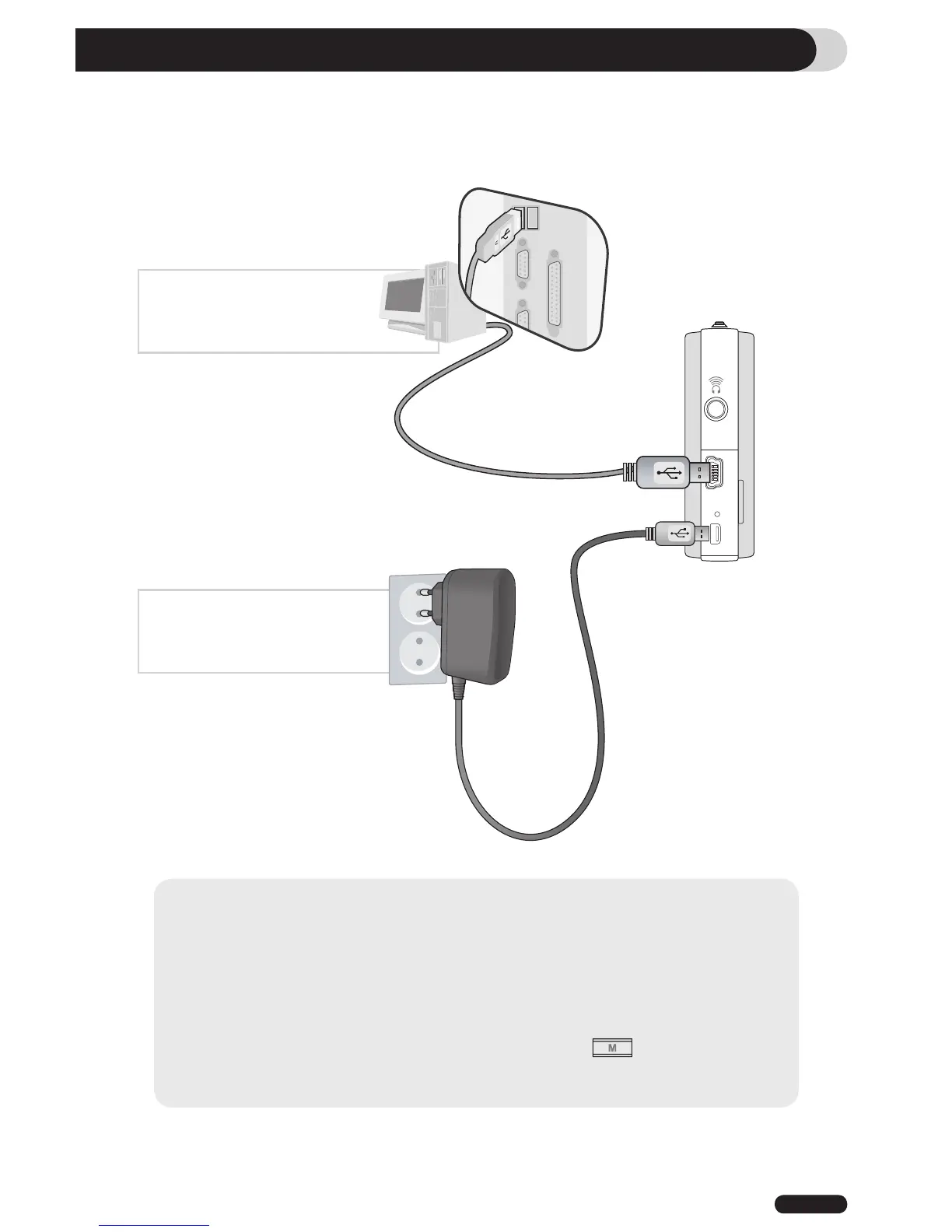
3. Charging the battery
To charge the internal battery of COWON D2, connect D2 to a PC through a USB or connect it to an
AC power outlet using an adapter.
1. Connecting to PC via USB
: It takes about 7 hours for a
full-charge
2. Connecting to power outlet :
It takes about 3.5 hours for a
full-charge
- Battery status can be checked on the LCD display
- Using both USB and power adapter simultaneously may damage D2
- If you are using D2 for the first time or after using it for an extended period time, allow it to charge for sufficient
amount of period.
- It might be slow to power up depending on the battery’s charge status.
- For your safety, please use only the JetAudio AC power adapter.
- JetAudio AC Power adapter can be used for either 100V or 240V.
- During the charge via an AC power adapter, D2 can be used by pressing button
- USB charging does not work if the unit is connected to a USB Hub. It must be connected directly to a USB
port on a computer.



 To Next Page