Need help?
Do you have a question about the Cowon D3 D3 and is the answer not in the manual?
Details COWON's registered trademark and copyright for this manual.
Explains BBE Sound, Inc. licensing and trademarks for the product.
Covers product usage, handling, driving safety, earphone use, and eye strain.
Includes warnings about approved accessories, PC connection, and USB cable handling.
Covers device protection against impact, overheating, battery issues, and water damage.
Covers physical handling, static electricity, magnetism, cleaning, and storage.
Includes lightning protection, data backup, and data loss during service warnings.
Covers temperature guidelines, physical damage, and disk formatting.
Lists and illustrates the items included in the product package.
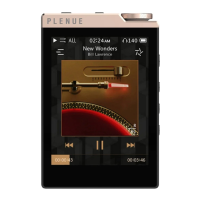
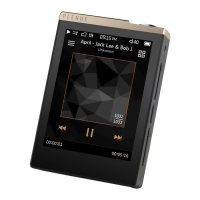
Identifies and describes the touchscreen, buttons, and ports of the device.
Details the function of each button and the purpose of the RESET button.
Explains how to use the Power/Hold button for on/off, hold, and sleep mode.
Suggests using sleep mode for faster booting and reduced battery consumption.
Guides on connecting the device to a PC via USB for file transfer.
Details the steps for safely disconnecting the device from a PC to prevent data corruption.
Step-by-step guide on downloading and installing firmware updates.
Notes on charging, not turning off, and backing up data during firmware upgrades.
Instructions for installing applications by copying APK files to the device.
Explains how to unlock the device and navigate the home screen.
Details how to add, delete, and organize icons and widgets on the home screen.
Identifies severe symptoms and specific scenarios requiring recovery mode.
Step-by-step instructions on how to enter and operate the recovery mode.
Lists capacity, display, size, weight, buttons, color, and battery details.
Details OS, USB port, ETC, and Bluetooth/Wireless LAN specifications.
Covers audio codecs, file formats, video codecs, and resolution specifications.
Instructions on how to install and run the COWON MediaCenter - JetAudio software.
Step-by-step guide to convert video files using the software's features.
Provides notes on file compatibility, conversion time, and subtitle handling.
Guide on seeking further help via the COWON website and contacting support.
Instructions on how to set the device back to factory default settings.
Troubleshooting steps for a player that does not power on, including using the RESET button.
Addresses problems with touch pad, buttons, and sound output, including volume and connection checks.
Solutions for files not appearing in lists and album images not displaying in Music Mode.
Troubleshoots video playback failures and FM radio reception problems.
Addresses noise in recordings and corrupted characters on the display.
Solutions for PC connection failures and discrepancies in memory capacity.
Details FCC compliance rules, limits, and user responsibilities regarding interference.
Provides FCC guidelines on RF radiation exposure limits and safe operating distances.
Information on battery lifespan and the need for replacement by official service centers.
Guidelines for disposing of the product and its batteries responsibly to prevent pollution.
 General
| Display Size | 3.7 inches |
|---|---|
| Touchscreen | Yes |
| Wi-Fi | Yes |
| Bluetooth | Yes |
| Battery Life (Video) | Up to 10 hours |
| Weight | 130 g |
| Display Type | LCD |
| Operating System | Android |
| Internal Storage | 16GB / 32GB |
| Card Slot | microSD |
| Audio Codecs | MP3, WMA, WAV, FLAC, APE, OGG |
| Video Codecs | AVI, MKV, WMV, MP4, 3GP, MPG |


 To Next Page