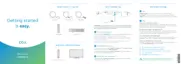
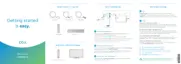
Quick start instructions
Start by turning on your TV.
Using the source or input button on your original
TV remote, select the HDMI connection that
matches the HDMI port you plugged the HDMI
cable into earlier.
You'll be prompted to follow on–screen instructions.
Then hang tight for a few minutes for the activation
of your Contour box to finish.
A
B C
Set up your Voice remote
Plug in your Contour box
Activate your Contour box
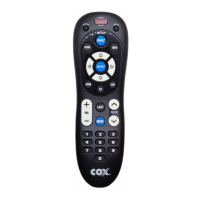
Now that your Contour box is activated, simply follow the on-screen instructions to set up
your Voice remote. When you see "All Set", press OK.
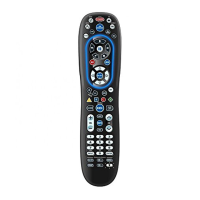
For help programming and troubleshooting your remote, visit Cox.com/remote-help.
For quick how-to videos, go to Cox.com/support. Check out the enclosed
troubleshooting tips and FAQs card for more information.
We recommend you use the new cables included in your kit.
First, screw one end of the coax cable into an active cable outlet
(try the same outlet where your previous cable box was connected)
and the other end into the "Cable from Wall" port on the back of
your new Contour box.
Then, plug the blue end of the HDMI cable into the HDMI port on
the back of your Contour box and plug the other black end into the
desired HDMI port on your TV.
Lastly, connect the power cord into the power port on the back
of your Contour box and plug the other end into an electrical outlet.
2
3
1
2
3
1
WEB: Cox.com/support
and Cox.com/learn
CALL: 1-888-556-1193CHAT: text an agent
at 54512 or live chat
on Cox.com/chat
APP: Cox Connect
for 24/7 support
and helpful videos
We're
here to
help
FPO BARCODE
520 -178 3



 To Next Page