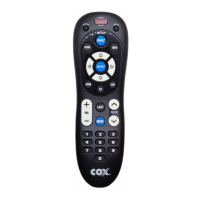
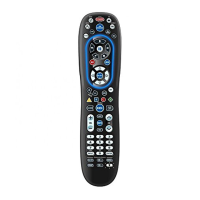
Need help?
Do you have a question about the COX M7810 and is the answer not in the manual?
Explains function of SETUP, POWER, MASTER POWER, mode keys, INFO, PAGE+, BACK, Cursor, SELECT, GUIDE, PAGE-, EXIT, A/B/C.
Explains function of SETTINGS, MENU, PPV, VOL, LAST, FAV, MUTE, CH, INPUT, ENTER, keypad, and transport controls.
Steps for accessing volume control when no separate TV code is listed for TV/VCR combos.
Lists manufacturer codes for TV devices.
Lists manufacturer codes for VCR devices.
Lists codes for TV/VCR Combos, PVRs, and Cable Converters.
Lists codes for DVD Players and Stereo Receivers.
Lists codes for stereo amplifier devices.
Steps to disable channel lock for TV/VCR modes.
Steps to re-enable channel lock for all modes.
Steps to set volume control to the Cable Converter.
Steps to set volume control to the TV.
Steps to set volume control to the VCR.
Steps to set volume control to the Auxiliary device.
Solutions for mode keys not blinking or device not responding.
Solutions for remote not controlling devices or performing commands.
Solutions for TV/VCR combos not responding properly.
Solution for no volume on a second TV.
Explains limitations for specific RCA TV models regarding CH+, CH-, and LAST.
Solution for channel changing issues requiring the ENTER button.
Steps to retry code search after clearing the device key.
Specific TV/VCR codes for Sony and Sharp power-on issues.
 General
| Device Type | Remote Control |
|---|---|
| Brand | COX |
| Model | M7810 |
| Power Source | 2 x AA batteries |
| Infrared Frequency | 38 kHz |
| Compatibility | Cable TV Set-top Boxes |


 To Next Page