100
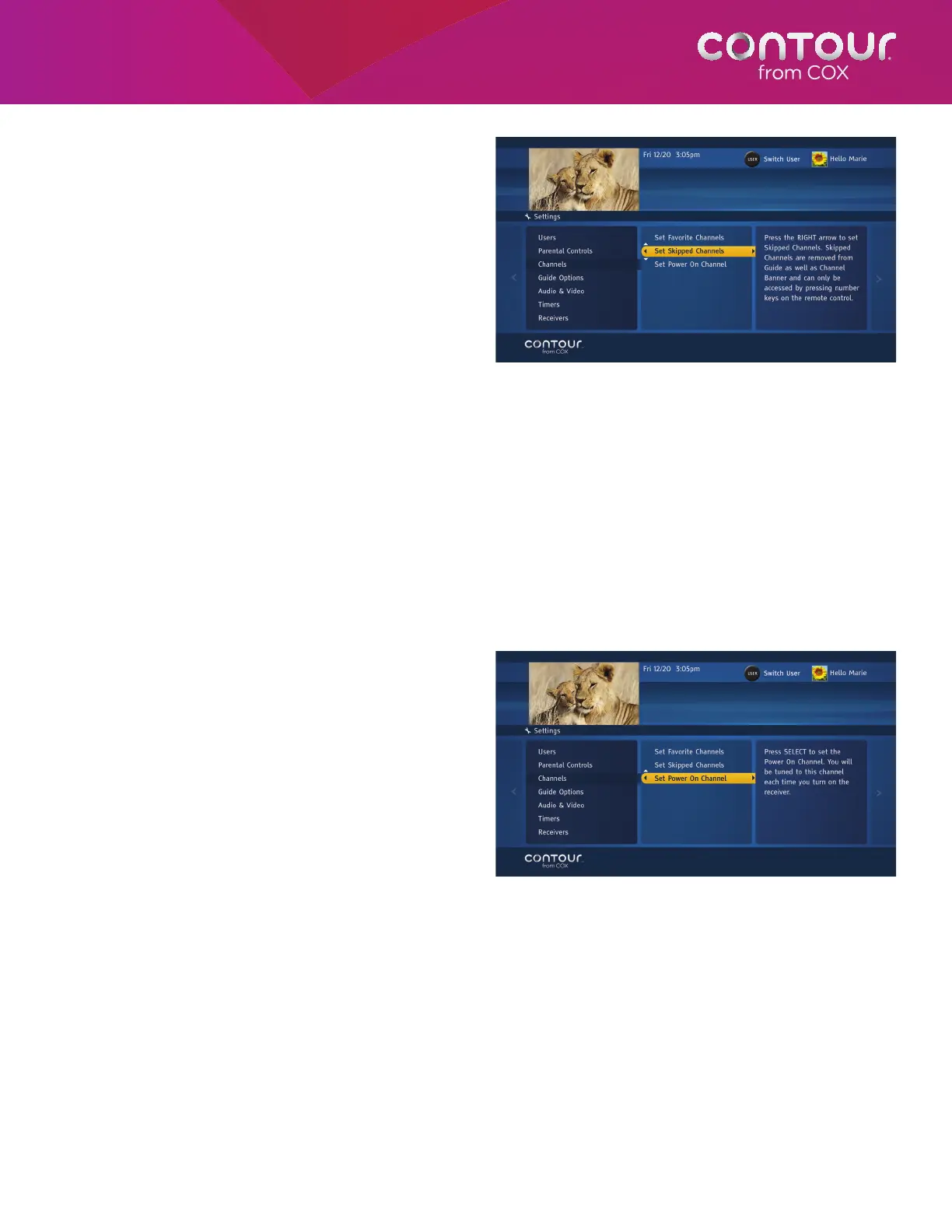
Set Skipped Channels
Each user can remove channels from their
personalized guide. Like Favorite Channels, you
should first log on to your user profile. Otherwise,
setting Skipped Channels will apply to the default
user.
You can always tune to a Skipped Channel by
entering the channel number directly on the
remote control.
To Set Skipped Channels, begin at the Channels
Menu:
1. Use the DOWN arrow to highlight Set
Skipped Channels. Press the RIGHT arrow
or SELECT button to open the Skipped
Channels list, which will appear in the center card.
2. Use the UP and DOWN arrows to highlight a channel you want to skip. Alternatively, you can simply enter the
channel number using the number (0-9) keys. Press SELECT. A checkmark will appear next to the channel.
3. Continue highlighting and selecting channels until you have completed your Skipped Channel list.
4. Press the LEFT arrow to return to the Channels Menu or press EXIT to return to live television.
You can unselect a Skipped Channel by moving the highlight bar to that channel and pressing SELECT. The checkmark
will disappear.
Set Power On Channel
The Contour Program Guide lets you decide which
channel will appear each time you turn on your
TV and receiver. This setting is specific to each
receiver.
To set the Power On Channel, begin at the
Channels Menu:
1. Use the DOWN arrow to highlight Set
Power On Channel. Press the RIGHT arrow
or SELECT button to see the Set Power On
Channel list, which will appear in the center
card.
2. Use the UP and DOWN arrows to
highlight a channel. Alternatively, you
cansimplyenter the channel number
using the number (0-9) keys. Press
SELECTto confirm.
3. Press the LEFT arrow twice to return to the Settings Menu or press EXIT to return to live television.
Like Favorite Channels, each User can set a
Skipped Channels list. Set Skipped Channels is
found in the center card.
Use the UP or DOWN arrow to highlight the Set
Power On Channel, and then press SELECT to
open a channels list.



 To Next Page