101
Guide Options
The Contour Program Guide lets you change the guide’s appearance to give you a more personalized experience.
Favorite Channels, Skipped Channels, Default Guide View and Keyboard Type settings are user specific. All other
settings are specific to the receiver.
Set Default View
Set Default View allows you to change the way
programs are organized, but Grid View is the first
view you will normally see. You can change this
default from Grid to another view.
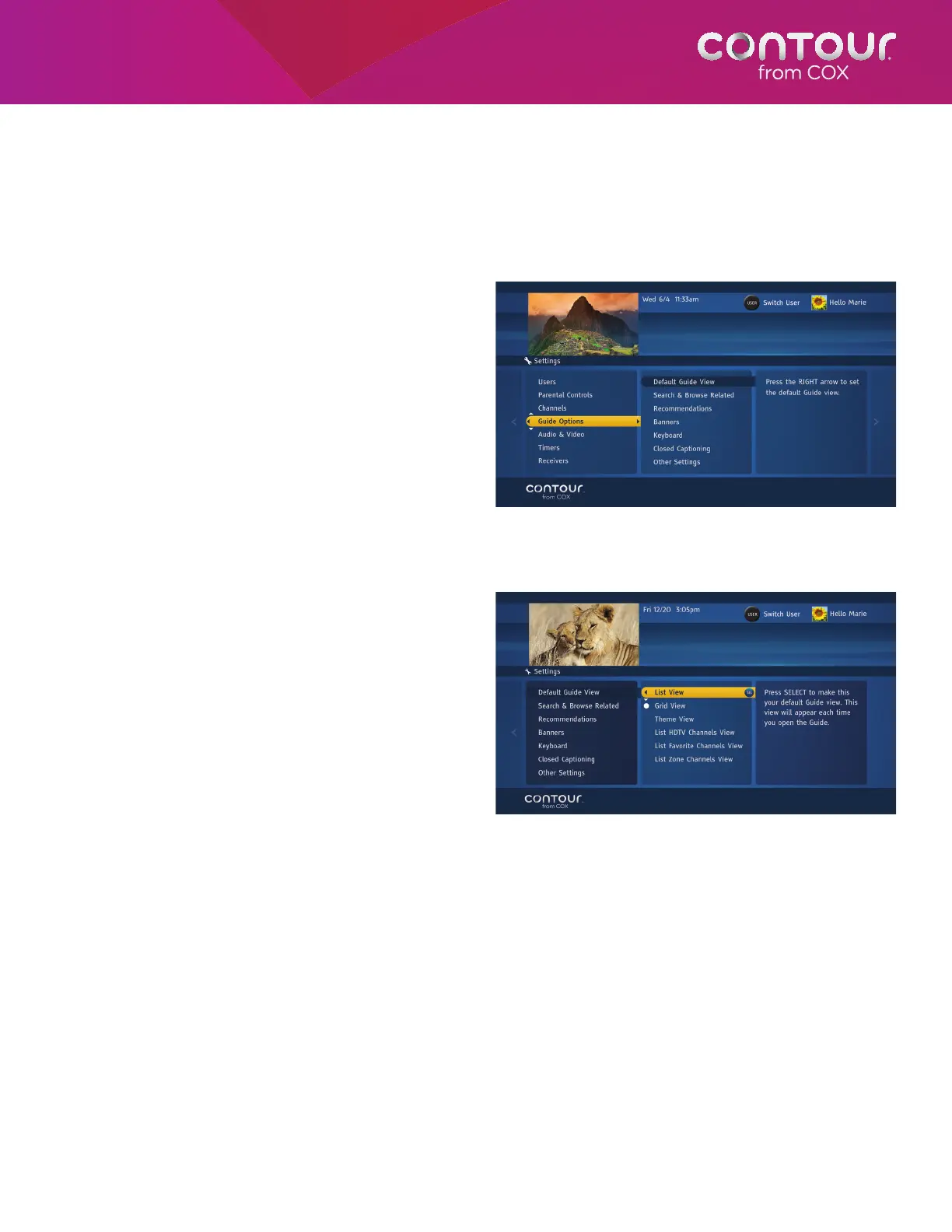
To do this, begin at the Settings Menu:
1. Use the DOWN arrow to highlight Guide
Options. Press the RIGHT arrow or SELECT
button to move to the Guide Options Menu
in the center card.
2. Press the RIGHT arrow or SELECT button to
see Default Guide View options, which will
now appear in the center card.
3. Use the UP or DOWN arrow to highlight
your choice. You can choose List View
(default), Grid View, Theme View, List HDTV
Channels View, List Favorite Channels View
and List Zone Channels View. Press SELECT.
4. Press the LEFT arrow to return to the Guide
Options Menu or press EXIT to return to
live television.
Press SELECT to open the Guide Options Menu,
where you can pick a number of Guide
related settings.
Press SELECT to open the Guide Options Menu, where you
can pick a default Guide View among other things.



 To Next Page