102
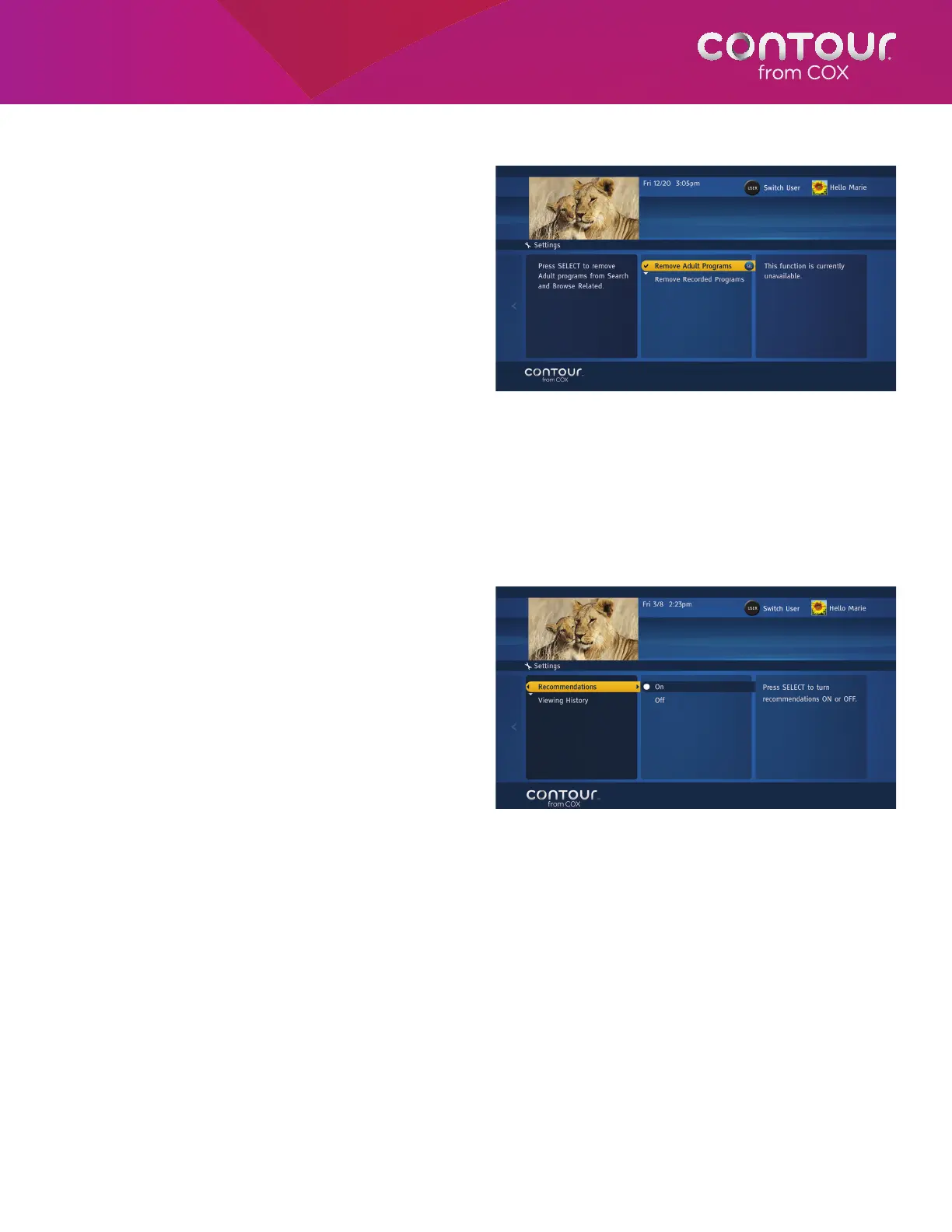
Control Search and Browse Related
This setting lets you exclude adult programming
from showing up in search results and Browse
Related searches. This setting is specific to each
receiver.
To change the Search and Browse Related settings,
begin at the Guide Options Menu:
1. Use the UP or DOWN arrow to highlight
Search and Browse Related. Press the
RIGHT arrow or SELECT button to highlight
Remove Adult Programs in the center card.
2. Press SELECT. A checkmark will appear.
3. Press the LEFT arrow to return to the
Guide Options Menu.
Control Recommendations
This setting lets you turn on or off personalized recommendations and clear your personal viewing history.
To turn on or off your personalized recommendations, begin at the Guide Options:
1. Use the UP or DOWN arrow to highlight
Recommendations. Press the RIGHT arrow
or SELECT button to display options in the
left card.
2. Press the Right arrow or SELECT button to
bring highlight to On or Off in the center
card.
3. Use UP or DOWN arrow to highlight the
desired option and press SELECT.
To clear your personal viewing history, begin at the
Guide Options:
1. Use the UP or DOWN arrow to highlight
Recommendations. Press the RIGHT arrow
or SELECT button to display options.
2. Use UP or DOWN arrow to highlight
Viewing History.
3. Press the Right arrow or SELECT button to
bring highlight to Clear Viewing History
action in the center card.
4. Press SELECT to clear your personal viewing history.
Search and Browse Related controls whether adult
and recorded programs should be included in
searches and related programs.
Recommendations controls whether
recommendations should be displayed or not.



 To Next Page