103
Notes About Recommendations
Recommendations are made available on a per-user basis in the household. If you have multiple user profiles set in your
household, then each user will receive unique set of recommendations targeted for their tastes and preferences. To
control recommendations for a particular user, you will need to switch to that user first on your Contour Program Guide
before controlling the Recommendations setting. To switch users, see the Set Current User section in the user’s manual.
Similarly, clearing viewing history requires you to switch to the appropriate user first before carrying out the action.
Please note that clearing a viewing history provides a fresh start to your recommendations.
Edit Banner Duration
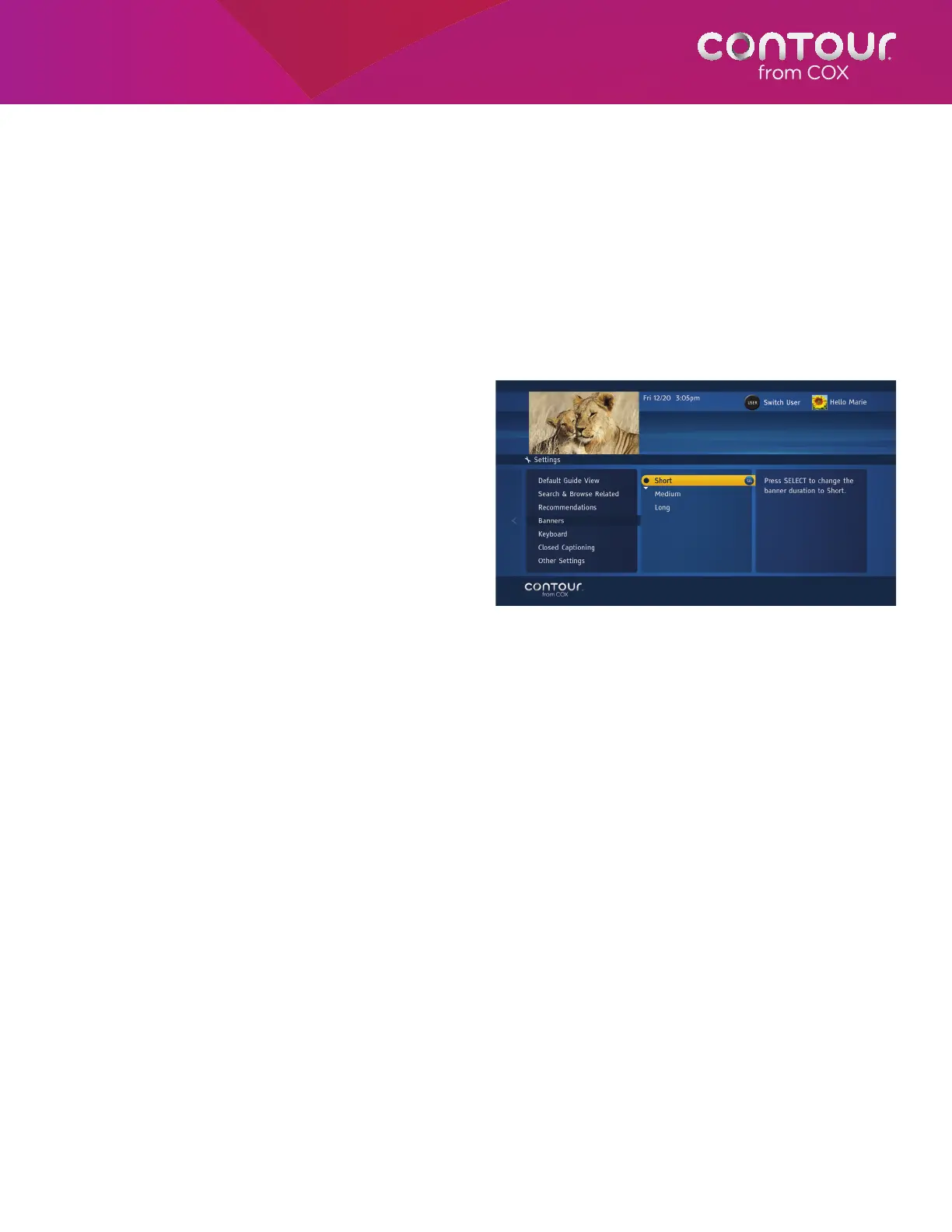
You can change the amount of time that Info Banners, Channel Banners and other banners are displayed. This setting is
specific to each receiver.
To edit Banner duration, begin at the Guide
Options Menu:
1. Use the UP or DOWN arrow to highlight
Banners. Press the RIGHT arrow or SELECT
button to open Banners options, which will
appear in the center card.
2. Use the UP or DOWN arrow to highlight
your choice. You can choose short, medium
or long banners. Press SELECT.
3. Press the LEFT arrow to return to the Guide
Options Menu or press EXIT to return to
live television.
Banners controls the length of time banner
information appears on-screen.



 To Next Page