105
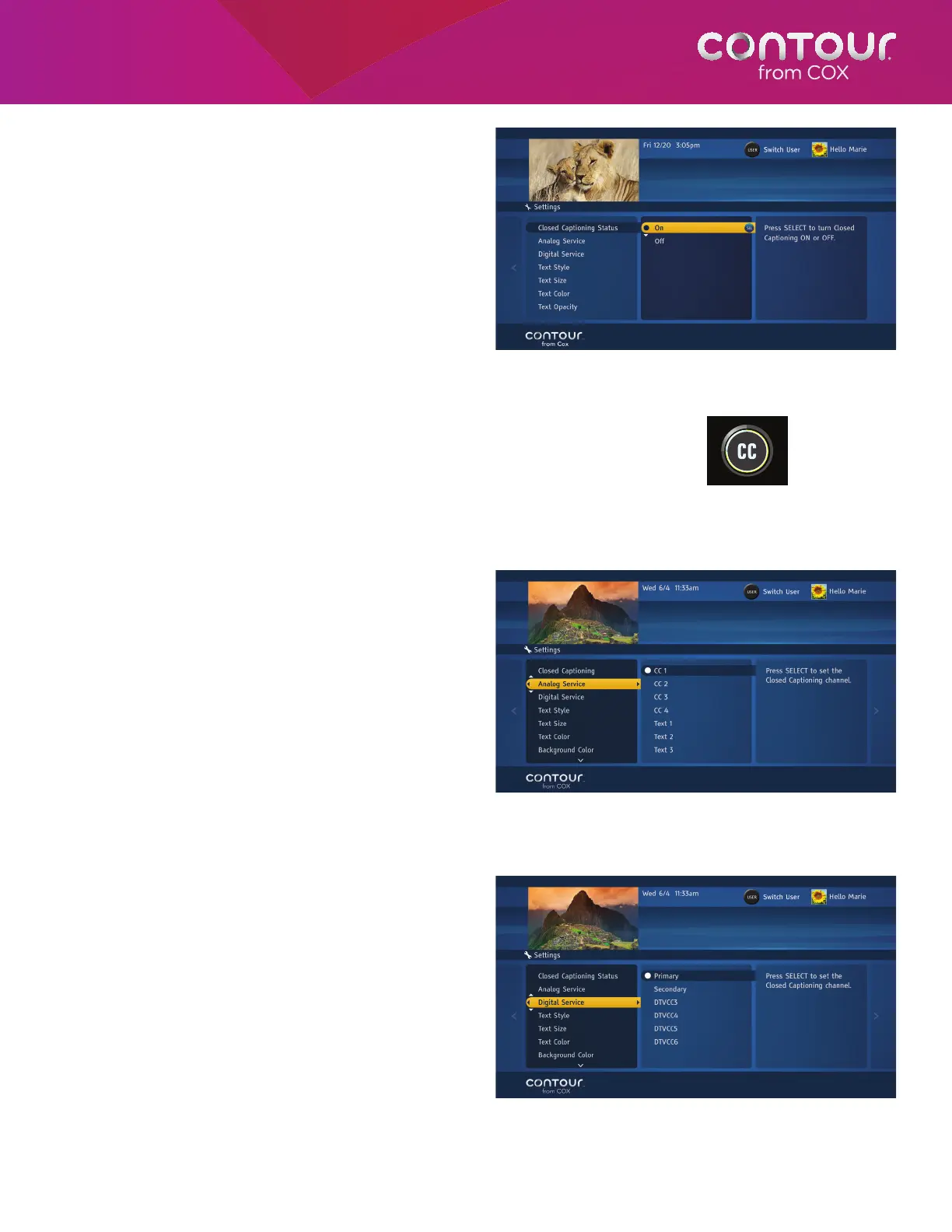
Set Closed Captioning Status
To turn Closed Captioning on, begin at the Closed
Captioning Menu:
1. With the highlight bar on Closed
Captioning Status, press the RIGHT arrow
or SELECT to move the highlight bar to the
options in the center card.
2. Use the UP or DOWN arrow to highlight
On. Press SELECT.
3. Press the LEFT arrow to return to the Closed
Captioning Menu or press EXIT to return
to live television.
Set Closed Captioning Status Using the CC Button
The remote control features a CC (Closed Captions) button that
allows you to turn the Closed Captions on or off with a simple press of
a button. To turn the Closed Captions on or off, simply press the CC
button to toggle between the two states. If the closed captions are on,
then pressing the CC button will turn them off, and if they are off, then
pressing the CC button will turn them on.
Set Analog Service
To choose a Closed Captioning service for analog
stations, begin at the Closed Captioning Menu:
1. Use the DOWN arrow to highlight
Analog Service. Press the RIGHT arrow
or SELECT button to move to the options
in the center card.
2. Use the UP or DOWN arrow to highlight
the appropriate option. Press SELECT to
confirm your choice.
3. Press the LEFT arrow to return to the Closed
Captioning Menu or press EXIT to return
to live television.
Set Digital Service
To choose a Closed Captioning service for digital
stations, begin at the Closed Captioning Menu:
1. Use the DOWN arrow to highlight Digital
Service. Press the RIGHT arrow or SELECT
button to move to the options in the
center card.
2. Use the UP or DOWN arrow to highlight
the appropriate option. Press SELECT to
confirm your choice.
3. Press the LEFT arrow to return to the Closed
Captioning Menu or press EXIT to return
to live television.
Closed Captioning Options appear in the card on the left.
Press SELECT twice to turn Closed Captioning On.
Use the UP or DOWN arrow to highlight Analog
Service and then press SELECT to move the
highlight bar to the options list.
Use the UP or DOWN arrow to highlight Digital
Service and then press SELECT to move the
highlight bar to the options list.
The Closed Caption button looks like this.
It is above the Video Navigation buttons.



 To Next Page