124
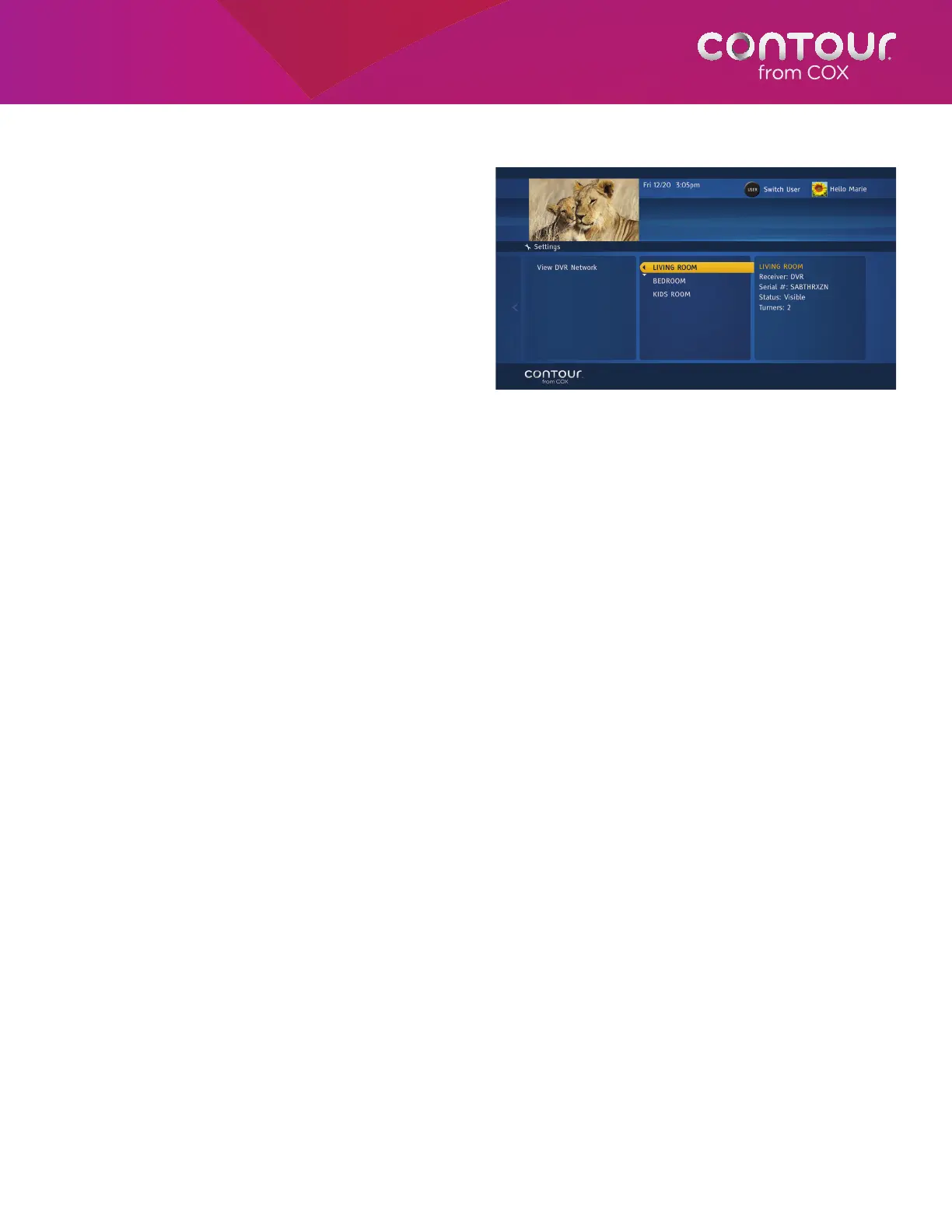
View DVR Network
View DVR Network allows you to view a summary
overview of all your receivers in the Whole Home
DVR network. The summary includes a name of the
receiver, receiver type whether HD receiver or DVR,
serial number and whether the DVR is set in visible
or invisible status.
To View DVR Network, begin at the Receivers
Menu:
1. Press the RIGHT arrow or SELECT button
to open the Receivers Menu in the center
card.
2. Use the DOWN arrow to highlight DVR
Network and press SELECT or RIGHT
arrow. A DVR Network Menu will display in
the center card.
3. Use the DOWN arrow to highlight DVR Network and press SELECT or RIGHT arrow to open up theMenu to
display a list of receivers in the centercard.
4. Using UP/DOWN arrows, browse through different receivers in your Whole Home DVR network. The left card will
display pertinent information as you move the highlight up and down the list.
Set Default DVR
If you choose to get multiple DVRs for your home network, we recommend you to set a default DVR for your non-DVR
receiver. This allows a non-DVR receiver to use the default DVR as the default go-to DVR for its recordings. This becomes
useful when you set up your recording just by pressing the RECORD button on your remote control so that you are not
asked to select which DVR you wish to schedule this recording to. Also, this default DVR is used for individual, series,
and manual recordings as a default Record To option, but can be easily changed by selecting a different DVR when you
schedule your recordings.
To Set Default DVR, begin at the Receivers Menu:
1. Press the RIGHT arrow or SELECT button to open the Receivers Menu in the center card.
2. Use the DOWN arrow to highlight DVR Network and press SELECT or RIGHT arrow. A DVR Network Menu will
display in the center card.
3. Use the DOWN arrow to highlight Set Default DVR and press SELECT to open up the Set Default DVR dialog
box.
4. Using LEFT/RIGHT arrows, select a DVR you wish to set as a default DVR.
5. When the DVR is selected, press the B button to set this DVR as the default DVR for this receiver.
A Note About Set Default DVR
This option is only available on non-DVR receivers. If you have only one visible DVR in your Whole Home Network, then
this option is grayed out.
Press UP/DOWN arrows to view information about
receivers in the Whole Home DVR network.



 To Next Page