91
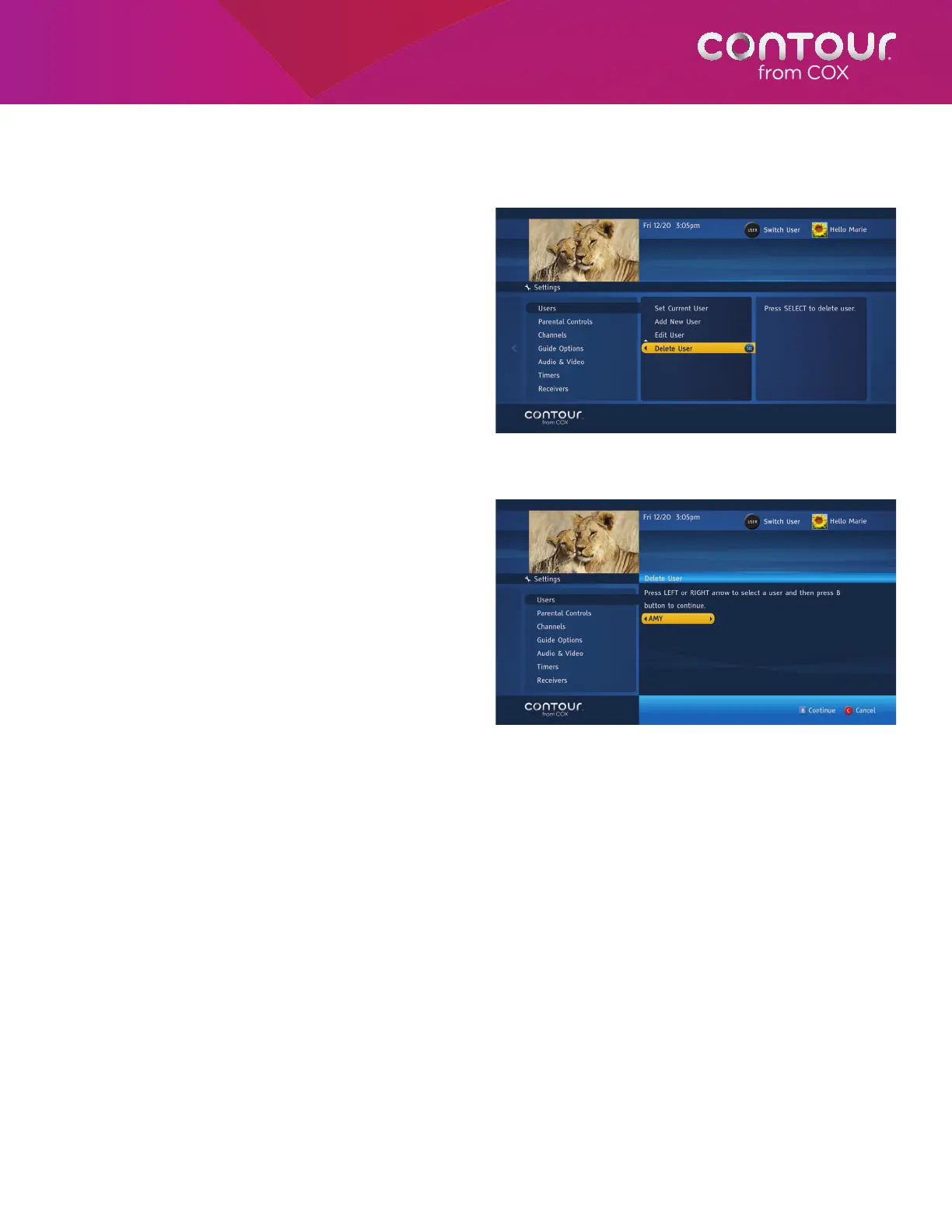
Delete User
You are allowed to have up to eight different users
in each household. Sometimes, however, you will
want to remove users from the system. To do this
from the Settings Menu:
1. Press the RIGHT arrow or SELECT button to
move to the Users Menu in the center card.
2. Use the UP or DOWN arrow to highlight
Delete User and press SELECT.
3. Use the RIGHT and LEFT arrows to find the
user profile you want to remove.
4. Press B to delete the user.
5. Press B to confirm.
6. Use the LEFT arrow to return to the
Settings Menu or press EXIT to return to live
television.
Use the Delete User function, found in the center
screen, to remove users from the Guide.
Use the LEFT and RIGHT arrows to find the user
profile you want to remove. Press B twice to
permanently delete the user.



 To Next Page