92
Parental Controls and Program Ratings
Parental Controls let you control who watches
or buys certain TV programs. By using a Parental
Control PIN, you can lock programs and channels,
restrict the ability to record programs and
limit access to On DEMAND and Pay-Per-View
programming. With a Purchase PIN, you can limit
the ability of users to buy On DEMAND or PPV
programs. Parental Controls must be set up for
each receiver (set top box).
Set a Parental Control PIN
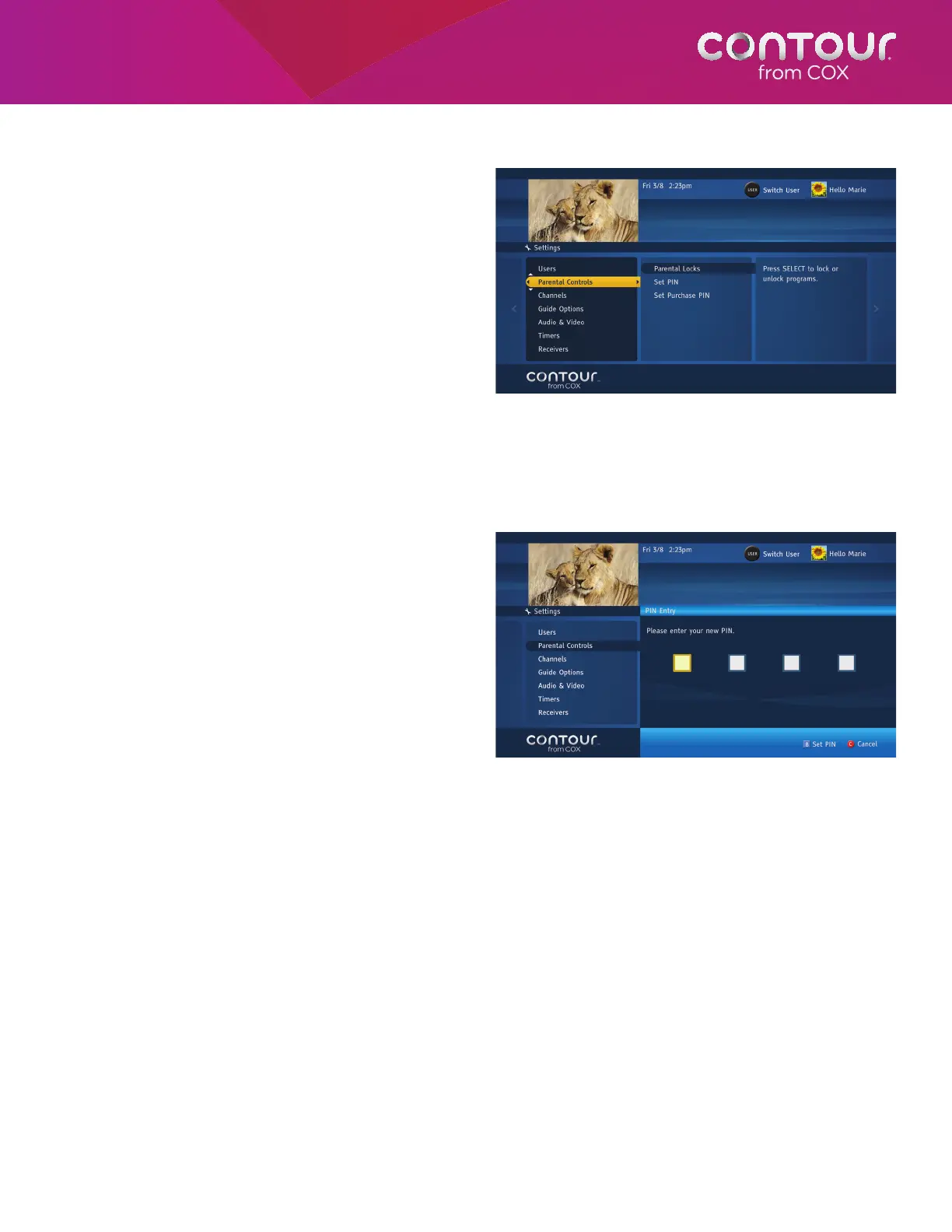
To set a Parental Controls PIN, begin at the Settings Menu:
1. Use the UP or DOWN arrow to highlight
Parental Controls.
2. Press the RIGHT arrow or SELECT button to
open Parental Controls Menu.
3. Use the UP or DOWN arrow to highlight Set
Parental PIN and press SELECT. A dialog
box will ask you to set up a Parental Control
PIN.
4. Press the B button to begin the set-up
process. Use the number keys (0-9) on the
remote control to set a four-digit PIN. The
system will then ask you to re-enter your
PIN.
5. Press the A button when you are finished.
Most Cox systems will let you set your own PIN initially while other systems will set a default Parental Control PIN
for you. The first dialog box will ask you for this default PIN. To retrieve your PIN, contact your Cox Customer Care
representative.
If you forget your PIN numbers, you may call Cox Customer Service to reset it.
Parental Controls appears in the left screen when
you open the Settings Menu.
Use the keypad (numbers 0-9) to set your Parental
Control PIN.



 To Next Page