22 23
8
TIPS FOR PREVENTING FALSE ALARMS
Follow these important guidelines to help you prevent false alarms and possible fines from your city.
• Learn how to use your security system and make sure everyone with access to your home is instructed
on how to use it (including passcodes and passwords)
• Know how to cancel false alarms using your designated Central Station Passcode (also known as your
“secret word”) when the Central Monitoring Station calls to verify an alarm
• If the alarm sounds, always be sure to speak to someone from the Central Monitoring Station
immediately. Wait by the phone designated as your first emergency dispatch contact and have your
Central Station Passcode ready
• If you have pets, ensure that your system and motion sensors are set up so they will not trip the alarm.
If you add new pets, be sure to contact us for assistance with updating your system
• Keep batteries fresh. Outdated or weak batteries can cause sensors to malfunction. When your
Touchscreen alerts you to a low battery, please contact us at 1-877-404-2568 for assistance
• Test your system regularly and before you go out of town. Be sure to notify the Central Monitoring
Station before beginning an alarm test. Call 1- 855-261-2501
• Notify Cox Technical Support if you suspect that your system is not working properly
• Schedule an annual service inspection to keep your system maintained properly. Subscribers to the
Equipment Service Plan receive complete system service and maintenance, and save 50% on their annual
service inspections. Battery replacement extra
• Ensure that your Emergency Dispatch Contact information is kept up to date. You can update your
contacts by logging in to https://portal.coxhomelife.com and selecting the Security menu, then
Emergency Dispatch Setup
• Notify Cox of any home improvements, such as installing anything or performing home renovations
near the location of the alarm control panel or any installed components
• Have others leave the house before arming the system from within
• Check to make sure all doors and windows are closed and locked before arming the system
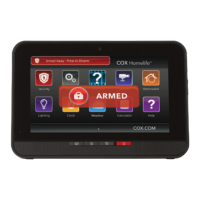
• After disarming, confirm the alarm system is turned off, indicated by a green disarmed status icon
on your Touchscreen or mobile app


 To Next Page
 Loading...