Need help?
Do you have a question about the COX Homelife and is the answer not in the manual?
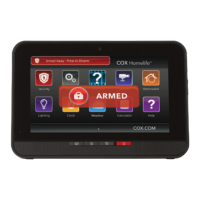
Used to arm and disarm the system, displaying its status.
Arms the system in Arm Away mode immediately.
Sends a medical, fire, or police alarm signal.
4-digit codes to arm/disarm; includes guest, arm-only, and duress types.
Used to cancel a dispatch by the Central Monitoring Station.
Username and password for web/mobile app access.
Shows system armed/disarmed status and alarm states.
Step-by-step guide to arming modes (Stay, Away, Night).
Steps to disarm the system using a keypad code.
How to send medical, fire, or police alarms.
Access live video from installed home cameras.
Using the key fob LED to determine system status.
Steps to arm the system in Arm Away or Arm Stay modes.
How to disarm the system using the key fob.
Initiating a silent police alarm via the key fob.
How to sign in to the Cox Homelife web portal.
Steps to arm the system through the web portal.
Steps to disarm the system through the web portal.
Setting up schedules, events, or non-events for system actions.
Steps to arm the system using the mobile application.
 General
| Professional Monitoring | Available |
|---|---|
| Connectivity | Wi-Fi and Cellular |
| System Type | Wireless |
| Mobile App | Yes |
| Type | Home Security System |
| Compatibility | Compatible with a range of security sensors and smart home devices |

 To Next Page