3
COMPONENTS AND OPERATION
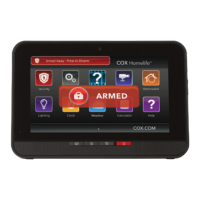
The Security Status Header is used to arm and disarm the system.
The System and Zone Trouble Header displays only when there
is a connectivity or power problem with the touchscreen, or when
a sensor goes down or is being tampered with.
The Touchscreen contains all of your apps and widgets for
customizing and managing your system. To manage your widgets,
go to the Settings widget, enter your four-digit Keypad Code and
select the Widgets menu.
Press the Quick Arm button to arm your system in Arm Away mode.
Press the Emergency Alarm (panic) button to send a fi re, medical
or police alarm signal.
The Cox Homelife
SM
system uses a dedicated router and your data modem to communicate
with the Central Monitoring Station, backed up by an advanced cellular communications
network.
The router included in your system should not be changed, including factory settings and
cable configuration, nor disconnected unless you’re advised by Cox Communications.
TOUCHSCREEN CONTROL PANEL
Depending on what you have ordered, your security system may include the following:
Touchscreen
control panel
Yard sign/
window decals
Motion sensors
Window/
door sensors
A dedicated router
Key fob
Smoke detectors
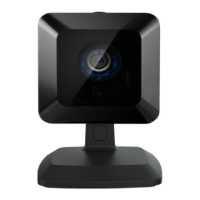
Cameras
A wireless keypad
Glass break sensors


 To Next Page
 Loading...