Need help?
Do you have a question about the CP Plus Ezykam EPK-EP10L1 and is the answer not in the manual?
Lists the key capabilities and specifications of the IP camera, including sensor, resolution, PT control, and compression.
Details the items included in the product package, such as the IP camera, power supply, and cables.
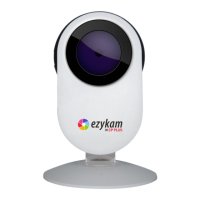
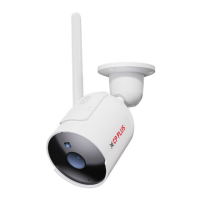
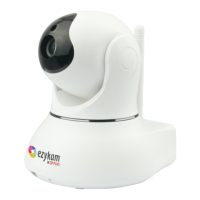
Provides visual identification of camera components and their descriptions, including antenna and ports.
Specifies the minimum hardware and operating system requirements for using the camera software.
Step-by-step instructions for physically setting up the camera, including antenna, power, and network connections.
Explains intranet and extranet connection methods, including private IP ranges and router configurations.
Configures Internet Explorer settings, specifically ActiveX controls, for optimal camera software functionality.
Details how to enable UPnP for easier camera IP discovery and automatic port forwarding.
Instructions on using the Ezykam Search Tool to find the camera's IP address on the local network.
Guide for installing the EzykamOCX control required for Internet Explorer browser access.
Details the login process and initial interface for operating the camera via Internet Explorer.
Explains camera operation in non-IE browsers, including login modes and media player setup.
Describes the main operational functions available in the camera software interface, including Live View and Playback.
Instructions for viewing live video feed in the IE browser, covering video menu options.
Guide for viewing live video in Safari, Chrome, Firefox, detailing play menu functions.
Details the icons and functions available on the left-side menu of the camera interface.
Details manual camera movement controls like Pan/Tilt, Center, Up, and Down.
Adjusts camera PTZ speed and image parameters like brightness, contrast, and hue.
Manages preset camera positions for quick access and enables automated cruising between positions.
Displays essential device details like ID, version, IP address, and UPNP status.
Configures user permissions and multi-device settings for managing camera access and multiple cameras.
Sets the camera's current date, time, and time zone, supporting PC time or NTP synchronization.
Configures audio input (microphone) and output (speaker) volumes for two-way communication.
Manages IP addressing, wireless connections, UPnP, DDNS, P2P, FTP, and email settings.
Configures video stream parameters, including resolution, frame rate, bit rate, and image quality.
Configures motion detection sensitivity, zones, alarm duration, and linkage actions.
Manages local recording settings, SD card information, and pre-recording configurations.
Configures camera cruising plans, including setting up preset locations and defining movement speeds.
Manages system logs, configuration import/export, and auto-maintenance features.
Manages device reboot, factory resets, and firmware/web UI upgrades.
Options for searching recorded files by mode, type, and time range for playback.
Steps to reset administrator username and password using the device's reset button.
Troubleshooting steps for missing video in IE, primarily related to ActiveX control issues.
Solutions for regaining access to the IP camera in IE after a firmware or software upgrade.
Addresses causes and solutions for choppy or unsmooth video playback, like frame rate and bandwidth.
Diagnoses and resolves common reasons for failing to access the IP camera via IE browser.
Solutions for image color distortions, often related to graphics card or software configuration.
Troubleshooting steps for issues with audio input or output during monitoring.
Addresses problems with image processing, DirectX, and graphics acceleration.
Troubleshooting steps for DDNS connectivity problems, including port forwarding.
Details the camera's image sensor type, resolution, lens, and minimum illumination.
Information on built-in microphone and speaker, and audio compression.
Covers video resolution, frame rate, compression, flip/mirror options, and light frequency.
Lists supported communication protocols, compression rates, wireless standards, and security.
Details physical characteristics, pan/tilt angles, and power requirements.
Information on operating environment, storage, and required PC system configurations.
Lists the product's compliance certifications (CE, FCC, RoHS).
Contact information and advice for seeking technical assistance or firmware upgrades.
Details FCC compliance rules, potential interference, and user responsibilities.
Provides information on FCC radiation exposure limits and safe operating distances.
 General
| Brand | CP Plus |
|---|---|
| Model | Ezykam EPK-EP10L1 |
| Category | Security Camera |
| Language | English |

 To Next Page