Need help?
Do you have a question about the CP Plus Ezykam EPK-HC10L1 and is the answer not in the manual?
Lists the key features of the IP camera, including sensor, resolution, and protocols.
Details the items included in the camera package, such as the camera, power supply, and cables.
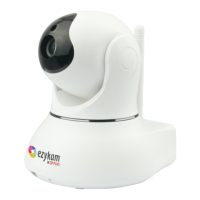
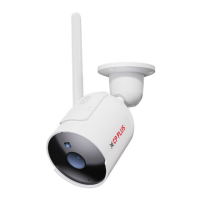
Shows the physical appearance of the camera, highlighting its components like lens and LEDs.
Specifies the minimum hardware and operating system requirements for the camera's software.
Provides step-by-step instructions for physically installing and connecting the camera hardware.
Explains how to connect the camera to the network, covering both Intranet and Extranet connections.
Configures Internet Explorer settings, including ActiveX, for optimal camera viewing.
Details how to enable UPnP for faster IP discovery and automatic port forwarding.
Guides users on using the Ezykam Search Tool to locate the camera's IP address on the LAN.
Instructions for installing the necessary EzykamOCX ActiveX control for Internet Explorer.
Instructions for logging into and operating the camera software using Internet Explorer.
Instructions for logging into and operating the camera software using other web browsers.
An overview of the main functions available in the camera's user interface.
Detailed guide on using the live video feature in IE, including available controls and actions.
Shows basic device information such as Device ID, version, and IP Address.
Configuration of user permissions and general device settings for the camera.
Settings for IP, Wireless, UPnP, DDNS, P2P, FTP, and Email configurations.
Configuration of video streams, resolution, frame rate, and IR control for night vision.
Setup for motion detection, sensitivity adjustment, and alarm linkage actions.
Configuration for local recording and viewing SD card information and status.
System operations like log viewing, config export/import, auto maintenance, and firmware upgrades.
How to search for and play recorded video files using different methods in IE.
Guidance on recovering forgotten administrator username or password using the reset button.
Solutions for common problems like no picture, choppy video, or abnormal image colors.
Resolving issues with visiting the IP camera via IE browser and network connectivity.
Troubleshooting steps for issues related to no voice during monitoring and image processing faults.
Guidance on troubleshooting DDNS connection failures and required port forwarding configurations.
A comprehensive list of the camera's technical features, including sensor, video, communication, and system requirements.
Information on how to contact technical support for issues or to obtain firmware upgrades.
Details on FCC regulations, cautions, and radiation exposure statements for the device.
 General
| Camera Type | Dome |
|---|---|
| Video Compression | H.264 |
| Wi-Fi | Yes |
| Pan/Tilt | No |
| Storage | MicroSD card (up to 128GB) |
| Lens Type | Fixed |
| Weatherproof | No |
| Connectivity | Wi-Fi |
| Image Sensor | 1/2.7" CMOS |
| Night Vision/IR Distance | 10m |
| Power Supply | DC 5V |
| Operating Temperature | -10°C to +50°C |

 To Next Page