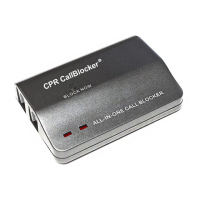
The easiest way to block Nuisance Callers is to use the BLOCK NOW button located on
the top of the Call Blocker.
When a Nuisance Caller gets through press the ‘BLOCK NOW’ button and then hang up
the call, this Caller will now be blocked from calling again.
You can also use this function without having to answer the phone.
For example: If an unfamiliar number is calling, press the BLOCK NOW button and the
CPR Call Blocker will stop that number from calling again.
The Block Now Button only works with Visible numbers. If you are receiving nuisance
calls from ‘WITHHELD’ or ‘INTERNATIONAL’ numbers please use the programming codes
on pages 5 and 6.
The easiest way to block Nuisance Callers is to use the BLOCK NOW button located on
the top of the Call Blocker.
When a Nuisance Caller gets through press the ‘BLOCK NOW’ button and then hang up
the call, this Caller will now be blocked from calling again.
You can also use this function without having to answer the phone.
For example: If an unfamiliar number is calling, press the BLOCK NOW button and the
CPR Call Blocker will stop that number from calling again.
The Block Now Button only works with Visible numbers. If you are receiving nuisance
calls from ‘WITHHELD’ or ‘INTERNATIONAL’ numbers please use the programming codes
on pages 5 and 6.
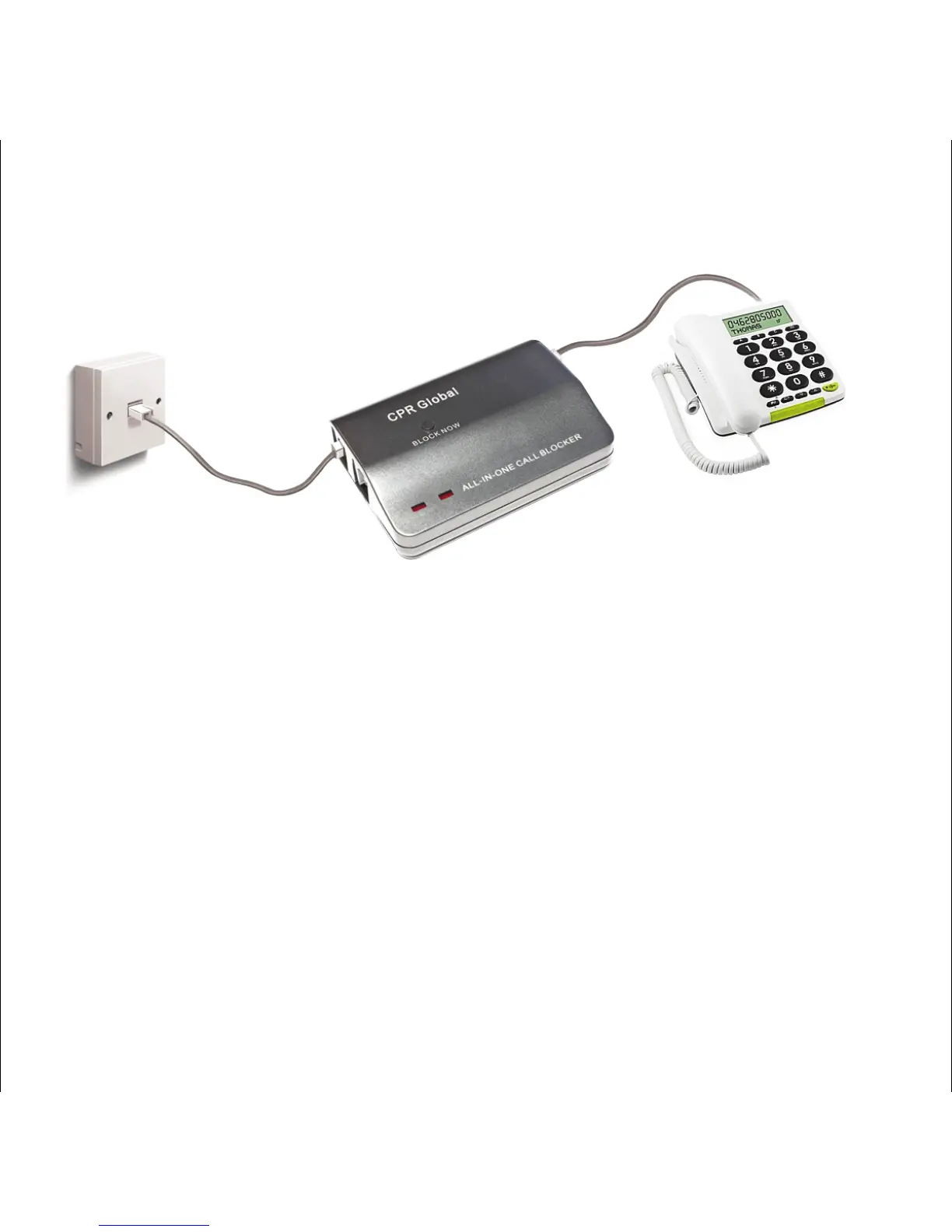
Step 1
Remove the line cable from your telephone and plug into the LINE 1 port of the Call
Blocker.
Step 2
Use the small Black cable provided to connect the TEL 1 port to your telephone
Step 3
Insure all cables are connected securely
The Call Blocker is setup correctly when there is a red light displayed on the top of the
unit, this is shown when the phone is off the receiver or when on a call. If you are using
a cordless phone then press the Call Button for a dial tone.
If you have no dial tone or no red light you will need to disconnect the cables then
reconnect using the LINE 2 and TEL 2 ports.
Step 1
Remove the line cable from your telephone and plug into the LINE 1 port of the Call
Blocker.
Step 2
Use the small Black cable provided to connect the TEL 1 port to your telephone
Step 3
Insure all cables are connected securely
The Call Blocker is setup correctly when there is a red light displayed on the top of the
unit, this is shown when the phone is off the receiver or when on a call. If you are using
a cordless phone then press the Call Button for a dial tone.
If you have no dial tone or no red light you will need to disconnect the cables then
reconnect using the LINE 2 and TEL 2 ports.
INSTALLATION
DIAGRAM
line Cable
Short Black
Cable Provided
Telephone
BLOCK NOW
2
3
Main Wall
Socket


 To Next Page
 Loading...