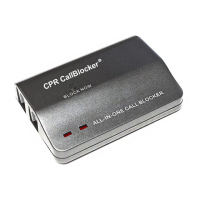
Programming a number into "Blocking" list
1. Pick up the telephone and input
* *7 # you will hear a "Beep”
2. Then enter the telephone number you wish to block, followed by the # key,
You will hear a ‘beep’ after each # to conrm success.
3. Enter the next number or hang up to complete setup.
Programming an area code into "Blocking" list
1. Pick up the telephone and input
* * 7 # you will hear a "Beep”
2. Then enter the area code you wish to block, followed by the # key,
You will hear a ‘beep’ after each # to conrm success.
3. Enter the next area code or hang up to complete setup.
Erasing one number or area code from the "Blocking" list
1. Pick up the telephone and input
* * 6 # you will hear a ‘Beep’
2. Then enter the telephone number you wish to delete followed by the # key,
You will hear a ‘beep’ after each # to conrm success.
3. Hang up to complete setup.
Programming a number into "Blocking" list
1. Pick up the telephone and input
* *7 # you will hear a "Beep”
2. Then enter the telephone number you wish to block, followed by the # key,
You will hear a ‘beep’ after each # to conrm success.
3. Enter the next number or hang up to complete setup.
Programming an area code into "Blocking" list
1. Pick up the telephone and input
* * 7 # you will hear a "Beep”
2. Then enter the area code you wish to block, followed by the # key,
You will hear a ‘beep’ after each # to conrm success.
3. Enter the next area code or hang up to complete setup.
Erasing one number or area code from the "Blocking" list
1. Pick up the telephone and input
* * 6 # you will hear a ‘Beep’
2. Then enter the telephone number you wish to delete followed by the # key,
You will hear a ‘beep’ after each # to conrm success.
3. Hang up to complete setup.
PROGRAMMING
CODES
Telephone
3
4



 To Next Page
 Loading...