
 Need help?
Do you have a question about the CPR Call Blocker and is the answer not in the manual?
Connect the telephone line cable to the LINE 2 port of the Call Blocker.
Connect the TEL 2 port of the Call Blocker back to your telephone.
Check connections, dial tone, and red lights for correct setup confirmation.
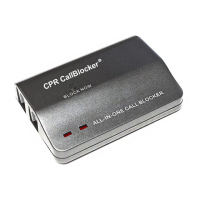
Block nuisance callers by pressing the 'BLOCK NOW' button after a call.
Enter '*' * 7 #' then the number and '#' to block it.
Enter '*' * 7 #' then the area code and '#' to block it.
Enter '*' * 6 #' then the number/area code and '#' to delete it.
 General
| Type | Call Blocker |
|---|---|
| Caller ID | Yes |
| Display | LCD screen |
| Compatibility | Landline phones |
| Blocking Method | Blacklist |

 To Next Page
