USER MANUAL
18
SOP
Sound Activated Moving Patterns Effect
SLL
Slow Moving Lines Effect
FAL
Fast Moving Lines Effect
SOL
Sound Activated Moving Lines Effect
SLD
Slow Moving Dots Effect
FAD
Fast Moving Dots Effect
SOD
Sound Activated Moving Dots Effect
MASTER/SLAVE MODE
z Press FUNC to enter MODE OPTION
z Till to LED panel shows SLA
z Press ENTER to confirm the setting.
The laser is working in “SLAVE MODE”. Connect MASTER laser and SLAVE
lasers with DMX cable, the SLAVE lasers do what exactly MASTER laser does.
Check “5.2 DMX connection” to have more details about laser connection.
EASY CONTROLLER
z Press FUNC to enter MODE OPTION
z Till to LED panel shows CA8
z Press ENTER to confirm the setting.
The laser is working in “EASY CONTROLLER CA-8”. Connect the optional easy
controller CA-8 with fixture and then you will have easy remote control function.
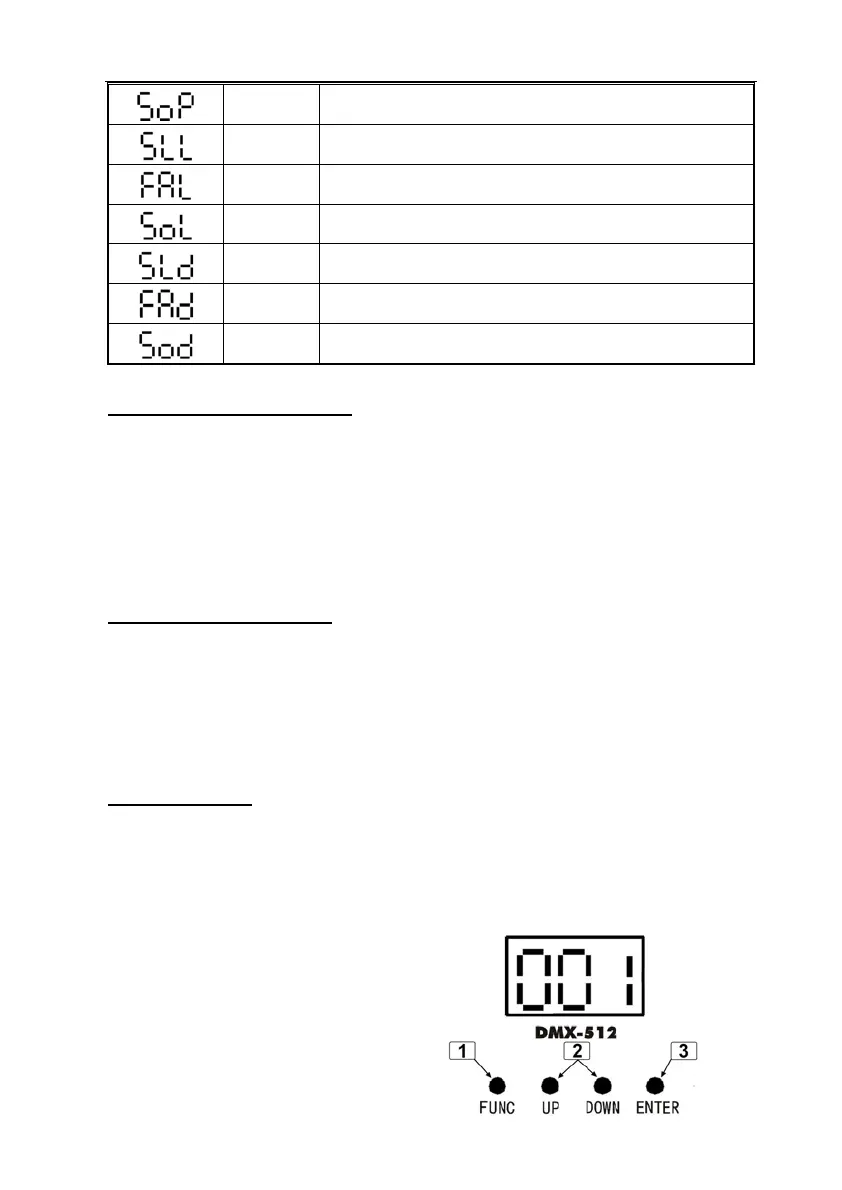
DMX MODE
z Press FUNC to enter MODE OPTION
z Till to LED panel shows 001.
z Press ENTER to confirm the setting.
The laser is working in “DMX MODE”. With help of UP/DOWN button, it could be
easily change the DMX address of the
laser.



 To Next Page