cradlepoint.com
7
FIRST TIME SETUP WIZARD
When you log in for the rst time, you are automatically directed to the FIRST TIME SETUP WIZARD, which
will help you customize your AER1600/AER1650. Change any of the following:
• Administrator Password
• Time Zone
• WiFi Settings
• Access Point Name (APN)
• Modem Authentication
• Failure Check
NOTE: To return to the First Time Setup Wizard after your initial login, select SYSTEM > SETUP WIZARDS > FIRST
TIME SETUP.
RESET: To restore the AER1600/AER1650 to its factory default settings, press and hold the RESET button on
the back of the device for ten seconds. Reset returns the login password to the DEFAULT PASSWORD and
resets all conguration changes.
ACCESSING THE
ADMINISTRATION PAGES
To make configuration changes to your router, open the AER1600/
AER1650’s GUI-based administration pages.
1. Connect via Ethernet or WiFi.
2. Open a browser window and type “cp/” or “192.168.0.1” in
the address bar. Press enter/return.
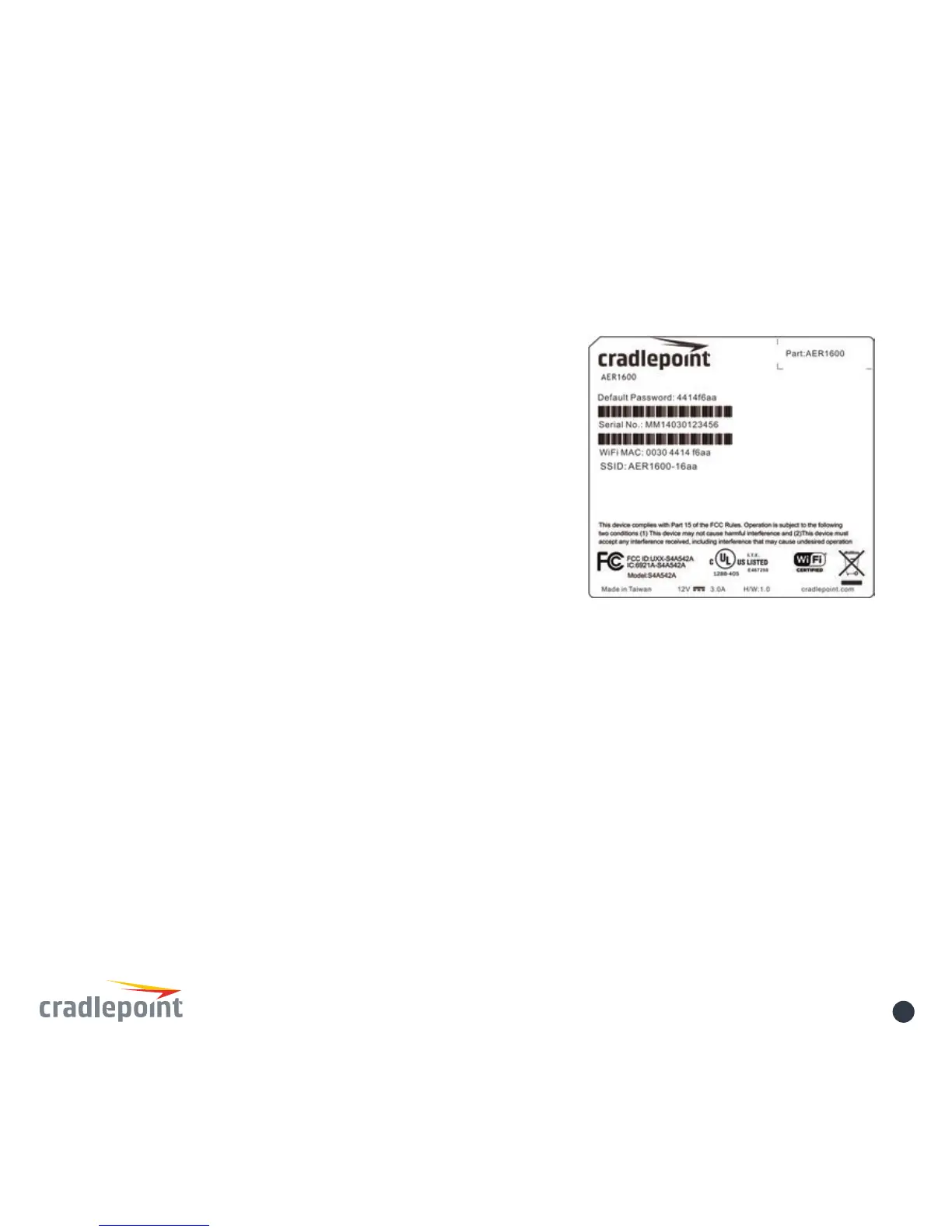
3. When prompted for your password, type the eight
character DEFAULT PASSWORD found on the product label.















 To Next Page