
 Need help?
Do you have a question about the Cradlepoint IBR600 and is the answer not in the manual?
Provides a comprehensive overview of the router's features, capabilities, and design.
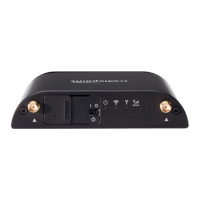
Identifies and explains the function of all physical ports, status LEDs, and control switches on the device.
Guides users through the initial physical setup and power-on procedures for the router.
Explains how to establish network connections to the router from client devices.
Details the process for accessing the router's web-based administration interface.
Guides users through the initial configuration wizard for customizing network settings.
Manages and configures various WAN interfaces for internet connectivity and failover.
Controls core router functions like security, clock, and remote management settings.
 General
| Model | IBR600 |
|---|---|
| Category | Wireless Router |
| SIM Slots | 1 |
| VPN Support | Yes |
| LAN Interface | Ethernet |
| WiFi Standards | 802.11 b/g/n |
| Cellular Connectivity | 3G/4G LTE |
| Security Features | Firewall, VPN |











 To Next Page


