CRADLEPOINT COR | USER MANUAL Firmware ver. 5.0.0
© 2013 CRADLEPOINT, INC. PLEASE VISIT HTTP://KNOWLEDGEBASE.CRADLEPOINT.COM/ FOR MORE HELP AND RESOURCES PAGE 16
3 QUICK ST ART
3.1 Basic Setup
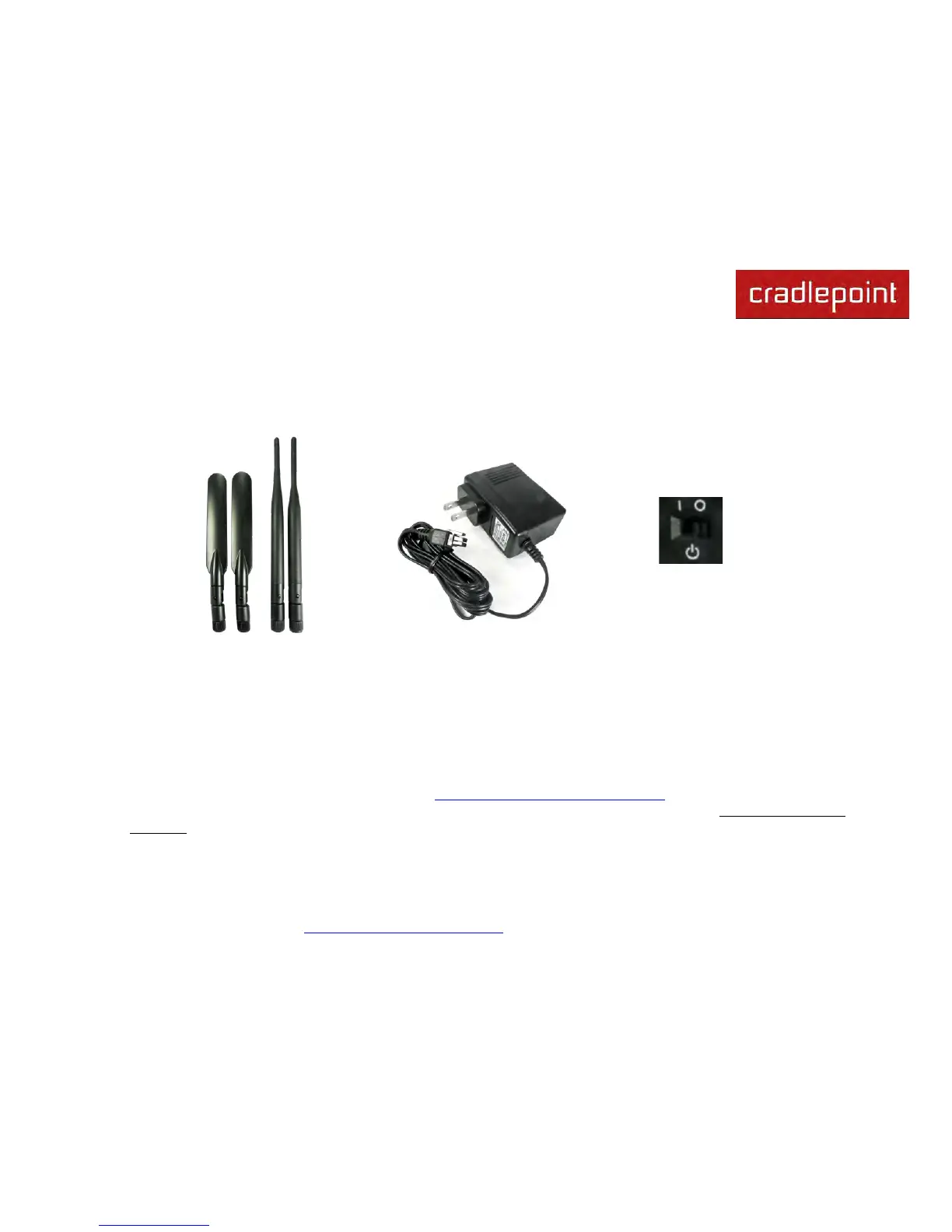
1. Attach the WiFi (right) and
modem antennas.
2. Plug the power supply into
an electrical outlet and
connect it to the router.
3. Make sure the power is
switched on.
O = OFF
I = ON
3.1.1 Activate Your Modem
A wireless broadband data plan must be added to your IBR600/IBR650. Wireless broadband data plans are available
from wireless carriers such as AT&T, Sprint, Verizon, and Vodafone. A new line of service can be added or a data plan
can be transferred from an existing account. You will need the ESN/IMEI (or similar number) from your product label on
your router to add or transfer a line of service.
After adding a data plan to the modem, the modem may need to be activated. To activate the modem:
1. Log in to the router’s administration pages (see Accessing the Administration Pages).
2. Select Internet from the top navigation bar and Modem Settings from the dropdown menu (Internet → Modem
Settings).
3. Find and select the CradlePoint modem.
4. Click Update/Activate. Click Activate in the popup.












 To Next Page