c. Insertanactivated2FF‐sizedSIMcardwithmetalcontactsfaceupandnotchin,intothe
SIM1slot.Itwillclickintoplace.Depressagaintoremove,ifnecessary.
d. Insertasecondary/backup,activatedSIMcardinto theSIM2slot,ifdesired.
e. Replacethemodemdooran
dsecurewiththemodemdoorscrew.
NOTE:Themodemdoorcovermustbeonthedeviceortheembeddedmodemwillnot
poweron.
2. InsertOptionalExternal MC400Modem.
TheE3000‐C18Bhasaslotforsecond,removablemodem(MC400).Befo retheE3000‐C18Bcan
besetup,theadditi
onalmodemmustbeinstalled.Toin stallthismodem,dothefollowing:
a. Insertanactivated2FF‐sizedSIMcardintotheMC400modem,metalcontactsdown,
notchendfirst.
b. RemovethemodemdoorontheE3000‐C18Bdevice.
c. SlidetheMC400mod emintotheavailablemodemslot,US
Bplugfirst,withthe
Cradlepointlogofacingup.
d. ReplacetheMC400modemdoorcover.NOTE:RemovetheplasticSMAcoversfromthe
modemdoorcoverfortheadditi onalantennaportsonthemodem.
e. Securewiththedoorcoverscrew.
3. AttachtheAntennas.
Attachthecellularmodemantennas(
included)totheconnectors.
a. Holdtheantennastraightandtwistthebaseoftheantennatoconnecttothedevice,
foldingthejointifneeded.
NOTE:Donotover‐tighten.Themaximumrecommendedtorqueis4in‐lbs.
b. Angletheantennasforoptimalsignalreception.
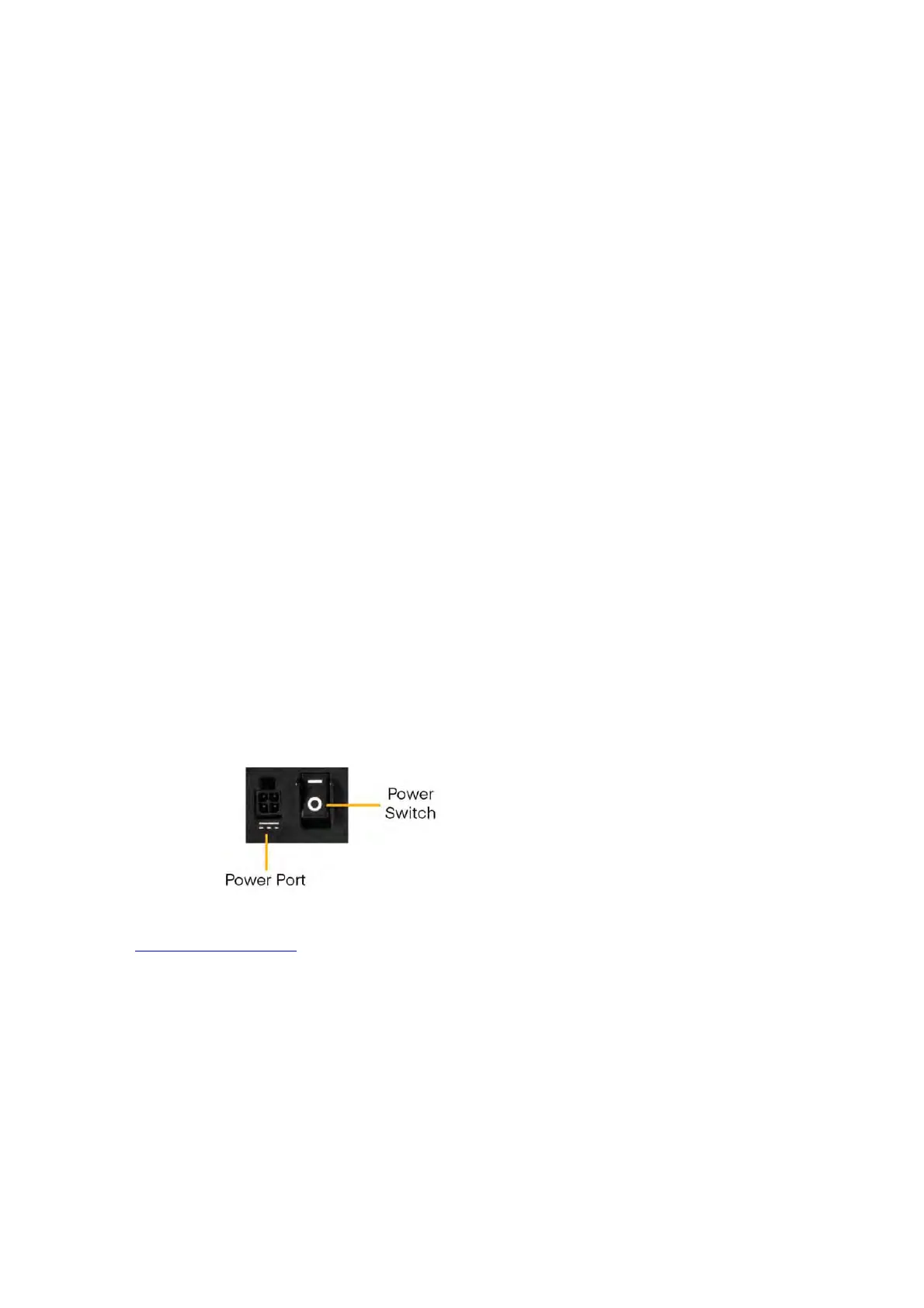
4. ConnectthePo
werSource
a. Connectthepowersupplytotherouterandthenplugtheprovidedpowersupplyinto
anelectricaloutlet.
b. SwitchthedevicetoON(O=OFF,–=ON).TheLEDlightswillbeginlightingup.
OncetheE3000‐C18Bispoweredon,logintoyourNe
tCloudaccountandconfigurethedevice.Referto
theConnectingtoNetCloudsectionofthisdocumentformoreinformation.














 To Next Page