Step 11
5 Blade Installation
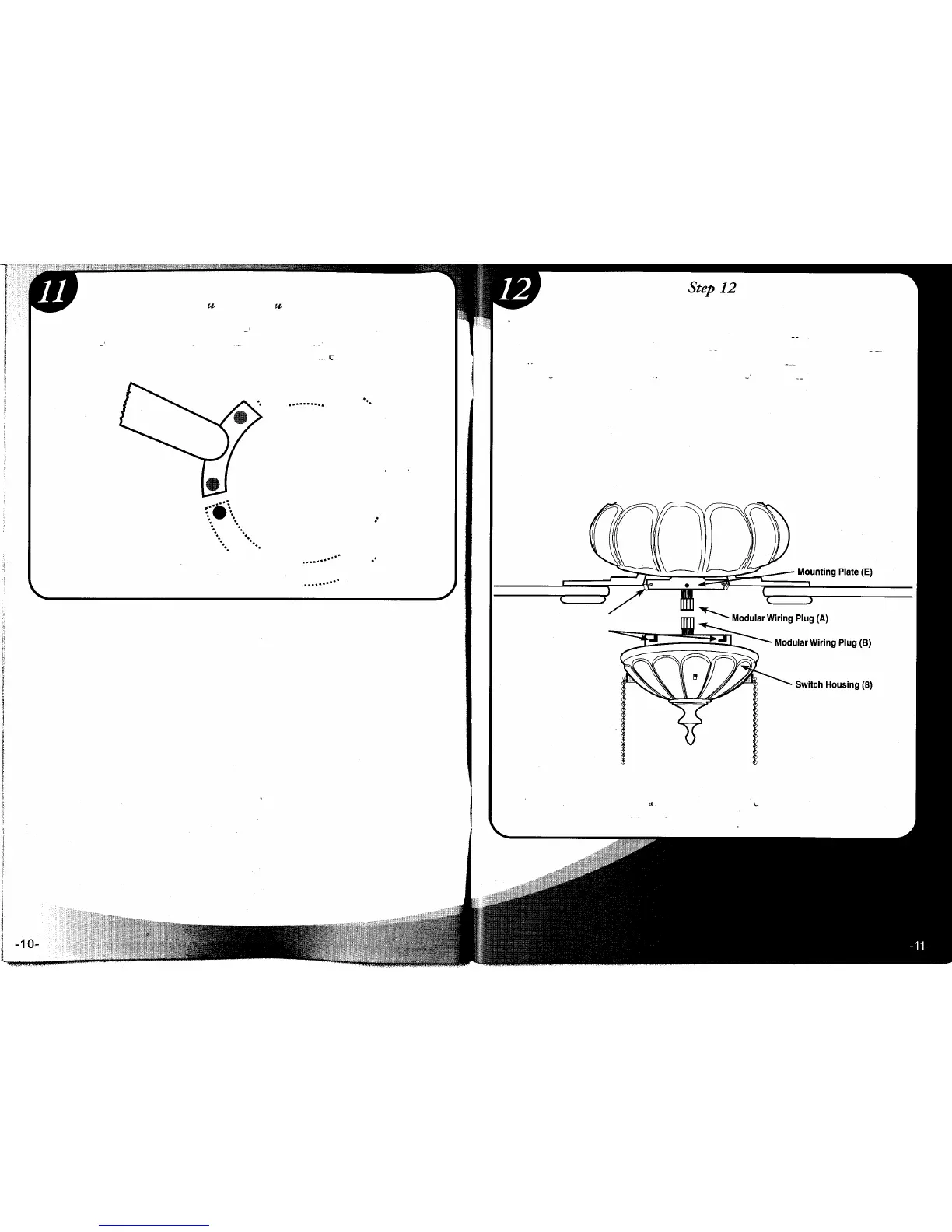
1. To install the Switch Housing Assembly (8), locate both modular
wiring plugs (A) and (B). One extends from the mounting plate (E) on
bottom of fan body and one extends from the Switch Housing (8). Align
the two plugs so the latch on the side of the plugs will engage when
pushed together. Push the two plugs firmly together until latched .
2. Locate switch housing screws (S9). Raise switch housing cover (8) and
align the mounting holes with the holes on mounting plate (E). Once the
holes are aligned, attach the switch housing cover using the switch housing
screws (S9) and tighten firmly.
Remove rubber cushions, saving motor screws for blade installation.
Using motor screws (S5) provided, line up holes from the blade arm with
the holes in the motor housing. Tighten screws securely.
.....................
...•..
.
.....
...
.
.
••••••••• I •••••••• ••••
....
.
•.......
••+
s.
.
.
. .
.
.
.
.
. .
'.
.
· .
· .
·
.
':. ':.
.
.
E.
E
·
.
: :
...•.
:::::::
.
.
. .
.
.
.
.
.....
.
...
. -s. .... ..-
....
•......
.
.
...... : =. ......
Ss •.•. .-
....
:
:
.
IMPORTANT: Be sure that no wires are caught in mounting slots or pinched between
switch housing and mounting plate.
Screws (F)
Mounting Slots (0)
CAUTION
A. To reduce the risk of personal injury, DO NOT bend the blade arms when
•• installing them. When balancing the blades, or cleaning the fan, do not insert
foreign objects in between rotating fan blades.



 To Next Page