EasyManua.ls Logo

Craftmade FC52 - User Manual

Craftmade FC52
20 pages
Print Icon
To Next Page IconTo Next Page
Loading...
P. O. Box 1037
650 S. Royal Lane, Suite 100
Coppell, TX 75019 EE.UU.
(800) 486- 4892
8:00 a 5:00 CST (Hora local central)
Número de fax sin cargo: (877) 304-1728
Correo electrónico: customerservice@craftmade.com
www. craftmade.com
®
MEJOR DISEÑO
®
UNE CONCEPTION EXCEPTIONNELLE
P. O. Box 1037
650 S. Royal Lane, Suite 100
Coppell, TX 75019 EE.UU.
de 8 heures à 17 heures (Heure standard du centre)
Numéro de télécopieur gratuit : (877) 304-1728
Email: customerservice@craftmade.com
www. craftmade.com
P. O. Box 1037
650 S. Royal Lane, Suite 100
Coppell, TX 75019
(800) 486-4892
8:00 to 5:00 CST (Central Standard Time)
Toll Free Fax: (877) 304-1728
email: customerservice@craftmade.com
www.craftmade.com
®
BETTER BY DESIGN
®
BETTER BY DESIGN
Flushmount Ceiling Fans
Installation Instructions
Models: HC52, FC52, HC42
HC52 FC52 HC42
HC52

Other manuals for Craftmade FC52

Question and Answer IconNeed help?

Do you have a question about the Craftmade FC52 and is the answer not in the manual?

Summary

Ceiling Fan Installation Guide

Safety and Preparation

Safety Precautions

Read and save all safety precautions before installation to prevent electrical hazards.

Before Assembly Checklist

Verify fan voltage, check parts list, and gather necessary tools before assembly.

Installation Steps Part 1

Power Off and Clearance

Disconnect power and ensure adequate blade clearance from floor and obstructions.

Mounting Bracket Installation

Secure the mounting plate and J-hook to the ceiling support structure.

Installation Steps Part 2

Wiring Connections

Connect fan wires to house wiring using provided connectors for safe operation.

Safety Cable Attachment

Secure the fan unit with a safety cable for enhanced stability and fall prevention.

Electrical Safety Warning

Warning regarding outlet box rating and potential need for replacement for fan support.

Installation Steps Part 3

Fan Motor and Bracket Mounting

Attach the fan motor/mounting bracket to the mounting plate securely.

Outer Housing Assembly

Mount the outer housing to the mounting plate using the provided screws.

Blade and Blade Holder Assembly

Assemble blades and blade holders, then attach them to the motor housing.

Operation and Optional Features

Fan Operation Instructions

Understand pull chain switch sequences for fan speed and direction.

Optional Light Kit Installation

Detailed steps for installing an optional light kit to the fan.

Troubleshooting Common Problems

Fan Will Not Start

Check fuses, breakers, wiring, and wall controls if the fan fails to operate.

Fan is Excessively Noisy

Troubleshoot noise by checking screw tightness, mounting, and wall control type.

Fan Wobbles

Address wobbling by ensuring blade alignment, weight balance, and checking the balancing kit.
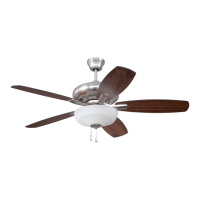
Craftmade FC52 Specifications

General IconGeneral
BrandCraftmade
ModelFC52
CategoryFan
LanguageEnglish

Related product manuals