8
PRODUCT SPECIFICATIONS
Charger Input 120Volts, 60Hz AC only
Optimum Charging Temperature 32°F (0° C) -104°F (40°C)
ѥWARNING: The safe use of this product requires an understanding of the
information on the tool and in this Operator’s Manual, as well as knowledge of
the project you are attempting. Before use of this product, familiarize yourself
with all operating features and safety rules.
OPERATION
HOW TO CHARGE A BATTERY PACK
NOTICE: Your Lithium-Ion battery pack is shipped partially charged. Before
using it the rst time, fully charge the battery pack.
1. Charge the battery pack with the correct charger.
2. Connect the charger to a power supply; the red and green LED will
illuminate for one second and then turn off automatically.
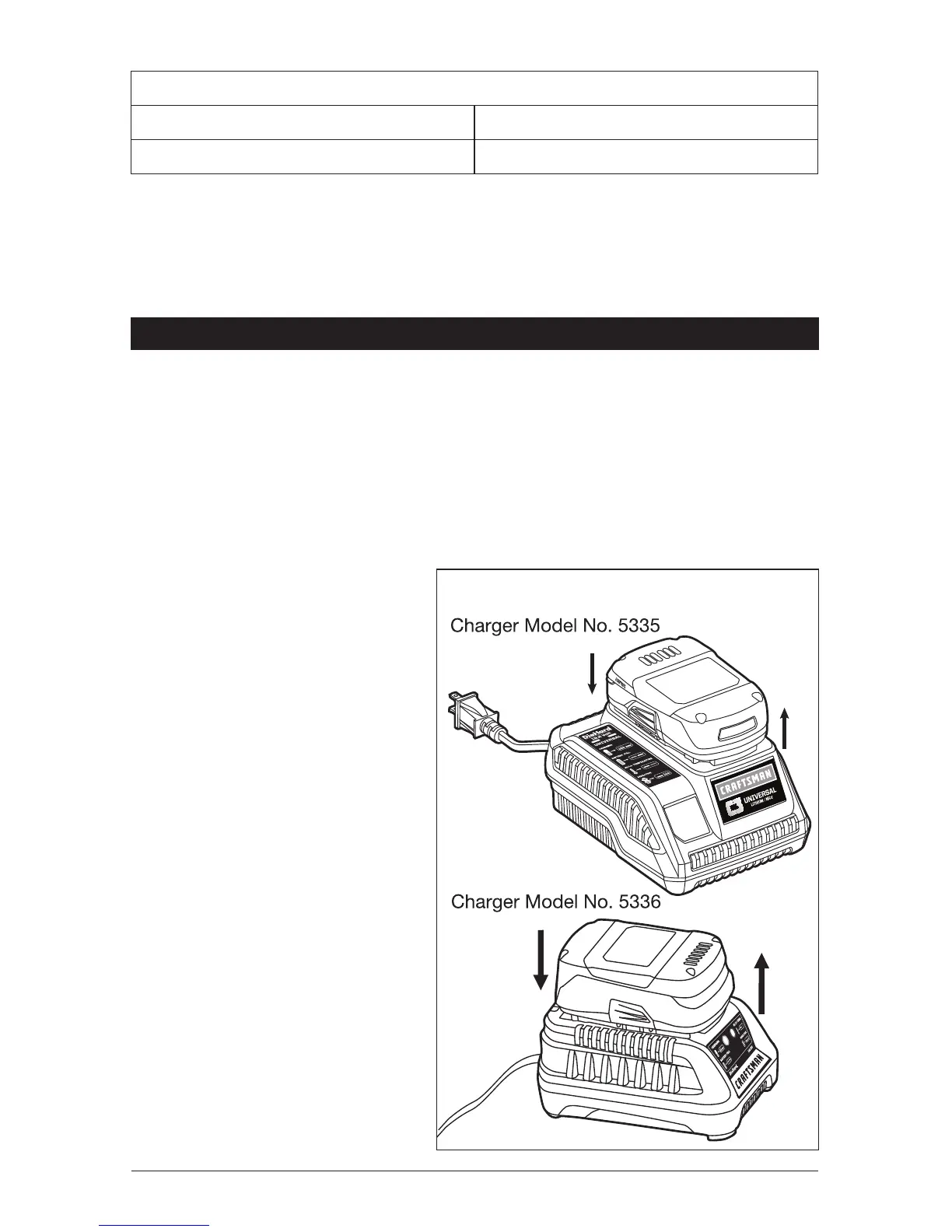
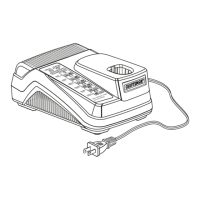
3. Attach the battery pack to the
charger by aligning the raised
ribs of the battery pack with
the slot in the charger. Insert
the battery pack onto the
charger (Fig. 2).
4. The charger will communicate
with the battery pack circuitry
to evaluate the condition of
the battery pack.
5. The green LED will ash
continuously during
normal charging.
6. After charging is complete,
the green LED on the charger
will be on.
7. The battery pack will fully
charge, but will not overcharge,
if left on the charger.
Fig. 2



 To Next Page