OPERATION
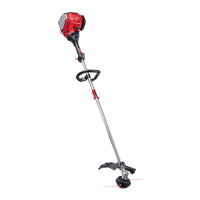
KNOW YOUR TRIMMER
READ THE OWNER'S MANUAL AND ALL SAFETY RULES BEFORE YOU OPERATE the trim-
mer. To familianze yourself with the location of the controls, compare the illustrationswith your trim-
mer. Save this manual for future reference.
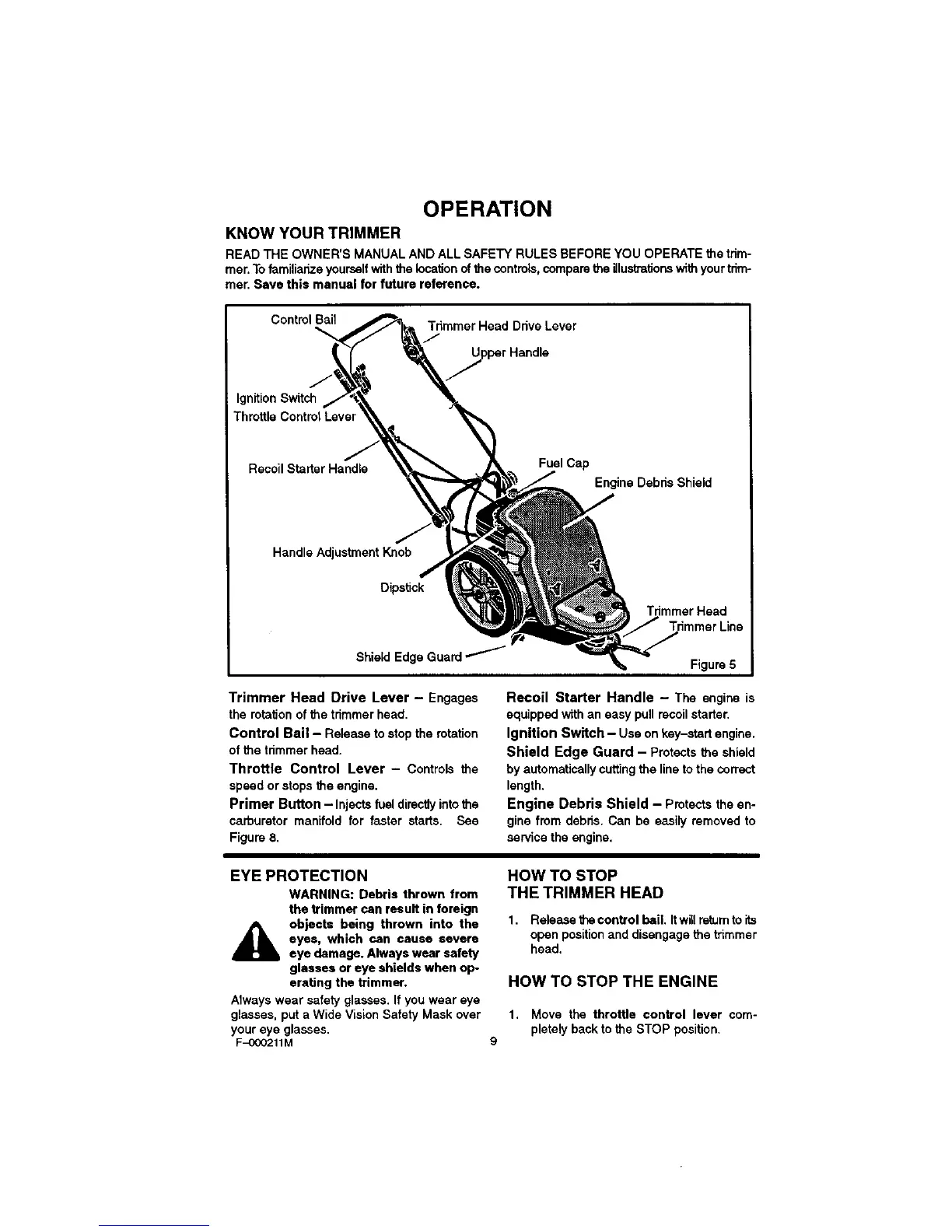
Control Bail
Tdmmer Head Drive Lever
/1
Ignition Switch
Throttle Control Lever
Recoil StarterHandle
Fuel Cap
Engine Debris Shield
J
Handle Adjustment Knob
Dipstick
Trimmer Head
Shield Edge
Figure 5
Trimmer Head Drive Lever - Engages
the rotation of the trimmer head.
Control Bail- Release to stop the rotation
of the trimmer head.
Throttle Control Lever - Controls the
speed or stops the engine.
Primer Button - Injects fuel directly into the
carburetor manifold for faster starts. See
Figure 8,
Recoil Starter Handle - The engine is
equippedwithan easy pullrecoilstarter.
Ignition Switch - Use on key-startengine.
Shield Edge Guard - Protectsthe shield
by automaticallycuttingthe lineto the correct
length,
Engine Debris Shield - Protectsthe en-
gine from debns.Can be easily removedto
sen/icetheengine.
EYE PROTECTION
WARNING: Debris thrown from
the trimmer can result in foreign
objects being thrown into the
eyes, which can cause severe
eye damage. Always wear safety
glasses or eye shields when op
erating the tHmmer,
Always wear safety glasses. If you wear eye
glasses, put a Wide Vision Safety Mask over
your eye glasses.
F-OOO211M
HOW TO STOP
THE TRIMMER HEAD
1. Release the control bail, Itwill re_umto its
open position and disengage the trimmer
head,
HOW TO STOP THE ENGINE
1. Move the throttle control lever com-
pletely back to the STOP position,
9




 To Next Page