EasyManua.ls Logo

Craftsman CMXEOCG772 - User Manual

Craftsman CMXEOCG772
100 pages
Print Icon
To Next Page IconTo Next Page
Loading...
Owner's Manual
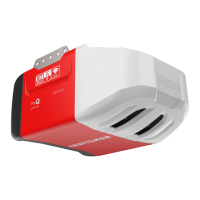
SMART GARAGE DOOR OPENER
For Residential Use Only
MODELS CMXEOCG322, CMXEOCG572,
CMXEOCG772, and CMXEOCG982
READ AND FOLLOW ALL SAFETY RULES AND OPERATING INSTRUCTIONS BEFORE FIRST USE
OF THIS PRODUCT.
FASTEN THE MANUAL NEAR THE GARAGE DOOR AFTER INSTALLATION.
PERIODIC CHECKS OF THE OPENER ARE REQUIRED TO ENSURE SAFE OPERATION.
DO NOT INSTALL ON A ONE-PIECE DOOR IF USING DEVICES OR FEATURES PROVIDING
UNATTENDED CLOSE.
UNATTENDED DEVICES AND FEATURES ARE TO BE USED ONLY WITH SECTIONAL DOORS. SEE
PAGE 3.
WRITE DOWN THE CRAFTSMAN
®
SERIAL NUMBER LOCATED ON THE GARAGE DOOR OPENER:
WWW.CRAFTSMAN.COM

Table of Contents

Question and Answer IconNeed help?

Do you have a question about the Craftsman CMXEOCG772 and is the answer not in the manual?

Summary

Preparing Your Garage Door for Installation

Critical Safety Warnings for Door Preparation

Critical safety warnings for door preparation before opener installation.

Wi-Fi Signal Strength Test for myQ App

Installation Planning and Considerations

Planning for One-Piece Garage Doors

Assembly Step 1: Rail and Trolley Assembly

Assembly Step 2: Fastening Rail to Motor Unit

Assembly Step 3: Installing the Idler Pulley

Assembly Step 4: Installing the Drive Belt

Assembly Step 5: Tightening the Drive Belt

Assembly Step 6: Installing the Sprocket Cover

Important Installation Instructions and Warnings

Installation Step 1: Determine Header Bracket Location

Critical Safety Warnings for Bracket Location

Crucial safety warnings related to header bracket installation.

Installation Step 2: Install the Header Bracket

Installation Step 3: Attach Rail to Header Bracket

Installation Step 4: Positioning the Garage Door Opener

Installation Step 5: Hanging the Garage Door Opener

Safety Warning: Secure Opener Mounting

Safety warning about securely fastening the opener.

Installation Step 7: Attach Emergency Release Mechanism

Safety Warning: Emergency Release Usage

Safety warnings for using the emergency release handle.

Installation Step 8: Fastening the Door Bracket

Door Reinforcement Requirements

Warning about reinforcement needed for lightweight doors.

Fasten Door Bracket: One-Piece Door Installation

Installation Step 9: Connecting Door Arm to Trolley

Connect Door Arm to Trolley (Continued)

Installation Step 10: Attaching Warning Labels

Installation Step 11: Installing the Door Control

Installation Step 12: Install Safety Reversal System

Safety Reversal Sensor Information and Function

Details on how safety reversing sensors function and their importance.

Safety Warnings for Sensor Installation

Safety warnings related to sensor installation and power.

Safety Reversal System Installation Continued

Installing Safety Sensor Brackets

Steps for installing the safety reversing sensor brackets.

Sensor Mounting and Wiring Procedures

Detailed mounting and wiring instructions for the sensors.

Installation Step 13: Electrical Requirements

Electrical Connection Safety Warnings

Safety warnings regarding electrical connections and grounding.

Installation Step 14: Align Safety Reversing Sensors

Troubleshooting Sending Sensor (Amber LED)

Troubleshooting steps for the sending sensor's amber LED.

Adjustments Introduction and Notes

Safety Warnings for Travel Limit Adjustments

Safety warnings related to travel limits and reversal system.

Program the Travel Limits

Safety Warnings for Travel Limits and Reversal

Safety warnings related to travel limits and the reversal system.

Automatic Force Set Up Procedure

Test the Safety Reversal System

Safety Warning for Reversal System Testing

Safety warnings for testing the reversal system.

Test the Protector System

Safety Warning for Protector System Testing

Safety warnings for testing the Protector System.

Battery Backup Installation and Management

Safety Warnings for Battery Handling and Fire Risk

Safety warnings for battery installation and handling.

myQ Smartphone Control Setup and Connectivity

Operation Safety Instructions

Dual-Function Control Panel (CMXEOCG572) Details

Motion Detecting Control Panel (CMXEOCG772;982)

Remote Control and Wireless Keypad Programming

Erasing Memory and Wi-Fi Connection Settings

Manual Door Operation and Safety

Safety Warnings for Manual Door Operation

Safety warnings for manual door operation.

Troubleshooting Diagnostic Chart

Garage Door Opener Safety and Maintenance Guide

Key Safety Principles for Opener Use

Emphasizes safety aspects of garage door opener operation.

Children and Garage Door Openers Warning

Warning about children playing with garage door openers.

Routine Maintenance for Opener System

Warning: Spring Tension Hazard

Critical warning about spring tension and qualified personnel.

Opener Safety Features Test Procedures

Procedures for testing the opener's safety features.

Summary

Preparing Your Garage Door for Installation

Critical Safety Warnings for Door Preparation

Critical safety warnings for door preparation before opener installation.

Wi-Fi Signal Strength Test for myQ App

Installation Planning and Considerations

Planning for One-Piece Garage Doors

Assembly Step 1: Rail and Trolley Assembly

Assembly Step 2: Fastening Rail to Motor Unit

Assembly Step 3: Installing the Idler Pulley

Assembly Step 4: Installing the Drive Belt

Assembly Step 5: Tightening the Drive Belt

Assembly Step 6: Installing the Sprocket Cover

Important Installation Instructions and Warnings

Installation Step 1: Determine Header Bracket Location

Critical Safety Warnings for Bracket Location

Crucial safety warnings related to header bracket installation.

Installation Step 2: Install the Header Bracket

Installation Step 3: Attach Rail to Header Bracket

Installation Step 4: Positioning the Garage Door Opener

Installation Step 5: Hanging the Garage Door Opener

Safety Warning: Secure Opener Mounting

Safety warning about securely fastening the opener.

Installation Step 7: Attach Emergency Release Mechanism

Safety Warning: Emergency Release Usage

Safety warnings for using the emergency release handle.

Installation Step 8: Fastening the Door Bracket

Door Reinforcement Requirements

Warning about reinforcement needed for lightweight doors.

Fasten Door Bracket: One-Piece Door Installation

Installation Step 9: Connecting Door Arm to Trolley

Connect Door Arm to Trolley (Continued)

Installation Step 10: Attaching Warning Labels

Installation Step 11: Installing the Door Control

Installation Step 12: Install Safety Reversal System

Safety Reversal Sensor Information and Function

Details on how safety reversing sensors function and their importance.

Safety Warnings for Sensor Installation

Safety warnings related to sensor installation and power.

Safety Reversal System Installation Continued

Installing Safety Sensor Brackets

Steps for installing the safety reversing sensor brackets.

Sensor Mounting and Wiring Procedures

Detailed mounting and wiring instructions for the sensors.

Installation Step 13: Electrical Requirements

Electrical Connection Safety Warnings

Safety warnings regarding electrical connections and grounding.

Installation Step 14: Align Safety Reversing Sensors

Troubleshooting Sending Sensor (Amber LED)

Troubleshooting steps for the sending sensor's amber LED.

Adjustments Introduction and Notes

Safety Warnings for Travel Limit Adjustments

Safety warnings related to travel limits and reversal system.

Program the Travel Limits

Safety Warnings for Travel Limits and Reversal

Safety warnings related to travel limits and the reversal system.

Automatic Force Set Up Procedure

Test the Safety Reversal System

Safety Warning for Reversal System Testing

Safety warnings for testing the reversal system.

Test the Protector System

Safety Warning for Protector System Testing

Safety warnings for testing the Protector System.

Battery Backup Installation and Management

Safety Warnings for Battery Handling and Fire Risk

Safety warnings for battery installation and handling.

myQ Smartphone Control Setup and Connectivity

Operation Safety Instructions

Dual-Function Control Panel (CMXEOCG572) Details

Motion Detecting Control Panel (CMXEOCG772;982)

Remote Control and Wireless Keypad Programming

Erasing Memory and Wi-Fi Connection Settings

Manual Door Operation and Safety

Safety Warnings for Manual Door Operation

Safety warnings for manual door operation.

Troubleshooting Diagnostic Chart

Garage Door Opener Safety and Maintenance Guide

Key Safety Principles for Opener Use

Emphasizes safety aspects of garage door opener operation.

Children and Garage Door Openers Warning

Warning about children playing with garage door openers.

Routine Maintenance for Opener System

Warning: Spring Tension Hazard

Critical warning about spring tension and qualified personnel.

Opener Safety Features Test Procedures

Procedures for testing the opener's safety features.

Craftsman CMXEOCG772 Specifications

General IconGeneral
Horsepower3/4 HP
Power SourceElectric
Voltage120V
Max Door Height7 ft
Safety FeaturesSafety sensors, rolling code technology
Remote ControlIncluded
Warranty1 year
Drive TypeChain Drive

Related product manuals