1
2
3
4
5
6
7
8
7
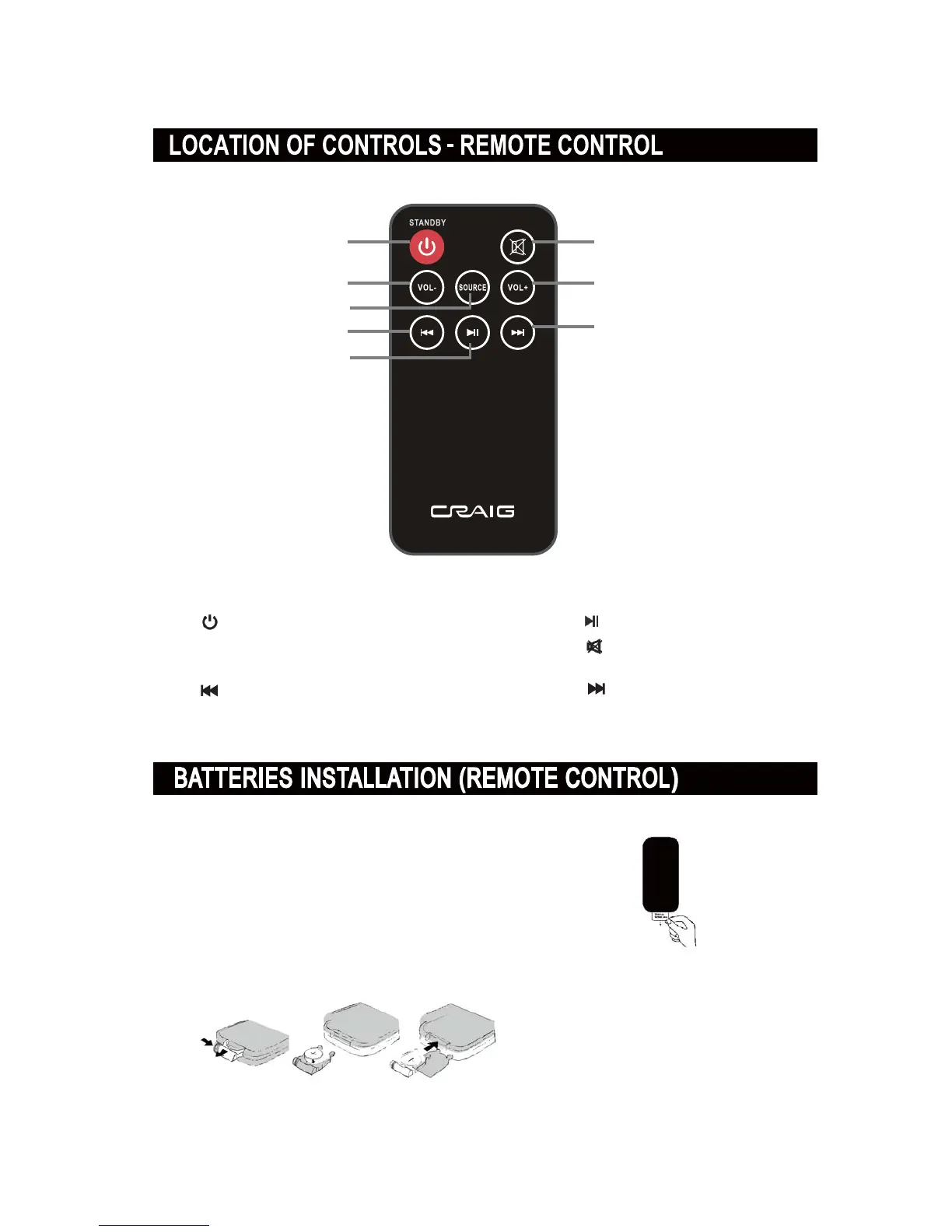
1. STANDBY button
2. VOL(Volume) - button
3. SOURCE button
4.
(Previous) button
5.
(Play/Pause) button
6.
(Mute) button
8. (Next) button
7. VOL(Volume)+button
FI56TTI0E 86E
ƔRemove and discard the insulation tab as figure on the right.
ƔReplacing Batteries For Remote Control
1. Push and slide out the battery holder as figure 1 below.
2. Replace the battery with a new CR225 button cell as
the polarity marNings on the rear of the Remote Control.
3. Close the battery holder.
Fig.1
Fig.2
Fig.3



 To Next Page