EasyManua.ls Logo

Craig CHT9810 - User Manual

Craig CHT9810
16 pages
Print Icon
To Next Page IconTo Next Page
Loading...
Owner's Manual
PLEASE READ BEFORE OPERATING THIS EQUIPMENT.
with Digital Optical Input and Bluetooth
®
Wireless Technology
with Digital Optical Input and Bluetooth
®
Wireless Technology
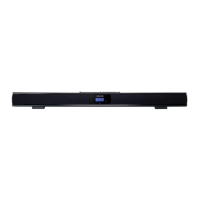
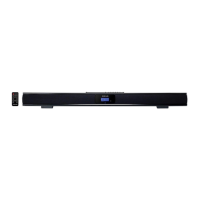
32 INCH STEREO
SOUND BAR SYSTEM
32 INCH STEREO
SOUND BAR SYSTEM
02'(/&+72

Questions and Answers

  • D
    David SloanAug 3, 2025
    What to do if my Craig Speaker System has no sound?
    • W
      William BarberAug 3, 2025
      If your Craig Speaker System isn't producing any sound, there are a few potential causes. First, check that the volume isn't set to the minimum; increase it using the VOL + button. Also, ensure that the connected device is playing music or a movie and that its volume is at an audible level. Finally, verify that the input source is correctly selected by pressing the POWER/SOURCE button on the unit or the SOURCE button on the remote until you reach the desired mode.
  • M
    mcdonaldaprilAug 9, 2025
    How to fix Craig Speaker System when there is no power?
    • R
      Ryan PetersAug 9, 2025
      If your Craig Speaker System isn't turning on, make sure the AC/DC adapter is properly connected to both the unit and the wall outlet. Also, check if the unit is in standby mode. If so, press the POWER/SOURCE button on the unit or the corresponding button on the remote to turn it on.
  • G
    George HesterAug 15, 2025
    Why is Bluetooth reception failing on my Craig Speaker System?
    • E
      ewilliamsAug 15, 2025
      If you're experiencing Bluetooth reception issues with your Craig Speaker System, the external device might be too far away. Try moving the Bluetooth device closer to the unit. Also, ensure that you have properly paired the unit with the Bluetooth device, following the pairing procedures outlined in the manual.
  • B
    barbaraharrisAug 21, 2025
    What to do if Craig Speaker System sound is distorted?
    • S
      Steve ThomasAug 21, 2025
      If you're hearing distortion or rattling sounds from your Craig Speaker System, it might be due to the volume level being too high. Try reducing the volume using the VOL - button. Also, reduce the volume level of the paired device.
  • C
    cooperaliceAug 27, 2025
    How to fix a Craig Speaker System remote control that is not working?
    • A
      Angela HernandezAug 27, 2025
      If the remote control for your Craig Speaker System isn't working, the battery may be weak. Replace it with a new battery.

Summary

Important Safety Instructions

FCC Warnings and Notices

Details regarding FCC compliance, warnings, and notices for the equipment.

General Operating Safety Precautions

Covers safe use, water proximity, cleaning, ventilation, heat sources, and plug safety.

Troubleshooting Guide

Power Source

Connecting the AC;DC Adapter

Instructions for connecting the AC/DC adapter to the unit and the wall outlet.

Installation

Placing on the Table

Guidance on placing the sound bar on furniture with adequate ventilation space.

Mounting the Speaker Bar onto a Wall

Recommendations for professional wall mounting using included accessories.

Mounting to a Wall

Mounting to a Wooden Wall

Steps for securely mounting the unit to a wooden wall using screws.

Mounting to a Brick Wall

Steps for securely mounting the unit to a brick wall using fixing plugs and screws.

Location of Controls

Front View Controls

Identifies indicator, remote sensor, and speakers on the front of the unit.

Top View Controls and Jacks

Details buttons and input/output jacks on the top of the unit.

Remote Control Operation

Remote Control Layout

Overview of buttons and functions on the remote control.

Batteries Installation

Instructions for installing or replacing batteries in the remote control.

Battery Precautions

General Battery Safety

Guidelines for safe battery use, handling, and disposal to prevent hazards.

Remote Transmitter Distance

Specifies the effective operating range and conditions for the remote transmitter.

General Operations

Powering On and Source Selection

Steps to connect power, turn on the unit, and select input sources.

Playback and Volume Control

Instructions for adjusting volume, muting, and powering off the unit.

Bluetooth Pairing and Playback

Initial Bluetooth Pairing

Procedure for pairing the unit with an external Bluetooth device for the first time.

Normal Bluetooth Operation

Steps for normal playback and track control after successful Bluetooth pairing.

Connection Through Optical

Optical Input Connection

Guide to connecting external audio sources via the optical input jack.

Optical Playback Setup

Steps for selecting optical source and setting audio output format.

Auxiliary Audio Input 1

Connecting External Audio Devices

Instructions for connecting mobile phones, MP3 players, or other devices via Aux In 1.

Selecting Aux In 1 Source

Procedure for selecting Aux In 1 as the audio input source.

Auxiliary Audio Input 2

Connecting TV;DVD;VCR;DVR

Guide to connecting video and audio players using RCA cables to Aux In 2.

Selecting Aux In 2 Source

Procedure for selecting Aux In 2 as the audio input source.

General Specifications

Technical Specifications

Details on power input/output, audio power, and effective ranges.

Included Accessories

List of items included with the sound bar system.

Limited Warranty

Warranty Coverage and Duration

Information on the product's 90-day warranty period and what is covered.

Warranty Exclusions and Limitations

Details on conditions that void the warranty and limitations on liability.

Craig CHT9810 Specifications

General IconGeneral
BrandCraig
ModelCHT9810
CategorySpeaker System
LanguageEnglish

Related product manuals