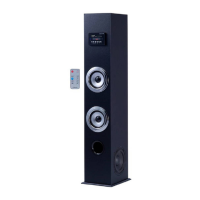
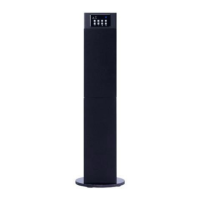
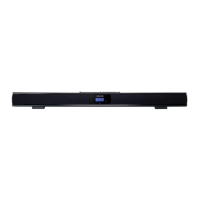
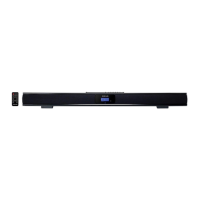
The Craig CHT904 is a complete true surround sound home entertainment speaker system designed to enhance your audio experience. It integrates a digital FM radio with 30 memory presets and a blue light display, offering versatile entertainment options.
Function Description:
The CHT904 serves as a central audio hub for various entertainment sources. It functions as a speaker system for televisions, CD/VCR/DVD/DVR players, PCs, and MP3 players, delivering surround sound without the need for additional speakers. The integrated digital FM radio allows users to tune into their favorite stations and store them for quick access. The system is designed to provide a rich and immersive audio experience, particularly through its SRS (Sound Retrieval System) technology, which creates a surround sound effect from stereo sources.
Important Technical Specifications:
- Power Supply: AC~120V, 60Hz
- Power Consumption: 45W
- Input Sensitivity: 400mV ± 50mV
- S/N (A Weight): ≥ 80dB
- Channel Separated Rate (1kHz): ≥ 40dB
- Power Output of Woofer (RMS): 25W
- Power Output of Main Speakers (RMS): 10Wx2
- Speaker Impedance: 8 Ohm
- THD (1kHz, 1W, 8 Ohm): <0.5%
- Frequency Response: 20Hz-20KHz
Usage Features:
The CHT904 offers a user-friendly interface with both front panel controls and a remote handset for convenient operation.
Front Panel Controls:
- MUTE Button: Temporarily mutes/unmutes the sound.
- VOL - Button: Decreases the sound level.
- LCD Display: Shows current settings and information.
- Remote Sensor: Receives signals from the remote control.
- STANDBY Indicator: Shows the unit's standby status.
- INPUT Button: Selects the desired input source (PC, Radio, CD, AUX1, AUX2).
- STANDBY Button: Powers the unit on/off from standby mode.
- VOL + Button: Increases the sound level.
- CD L Jack: Left channel input for CD.
- AUX1 L Jack: Left channel input for AUX1.
- AUX2 L Jack: Left channel input for AUX2.
- POWER ON/OFF Switch: A main switch on the rear enclosure to completely power on/off the unit.
- FM ANT (Antenna) Input Jack: Connects the FM antenna.
- CD R Input Jack: Right channel input for CD.
- AUX1 R Jack: Right channel input for AUX1.
- AUX2 R Jack: Right channel input for AUX2.
- PC/MP3 Input Jack: Input for PC or MP3 players.
- AC Power Cord: Connects to the power source.
Remote Control Features:
The remote control provides comprehensive control over the system from a distance of up to 16 feet and within a 30-degree angle left or right of the system.
- STAND-BY Button: Powers the unit on/off from standby mode.
- SRS Button: Toggles the surround sound effect on/off.
- INPUT Button: Selects input sources.
- MEMORY Button: Stores current radio stations into memory.
- SCAN ▲ Button: Searches for upper frequency radio stations.
- AUTO Button: Initiates auto-searching for radio stations.
- SCAN ▼ Button: Searches for lower frequency radio stations.
- STEREO Button: Toggles stereo/mono mode for FM broadcasting.
- SUB - Button: Reduces the woofer sound level.
- VOL - Button: Reduces the overall sound level.
- MUTE Button: Temporarily mutes/unmutes the sound.
- RESET Button: Resets the sound level to default settings.
- CH ▲ Button: In radio mode, searches for stored upper channels.
- CH ▼ Button: In radio mode, searches for stored lower channels.
- SUB + Button: Increases the woofer sound level.
- VOL + Button: Increases the overall sound level.
Radio Operation:
- Connect the supplied FM antenna to the FM ANT Jack and extend it for optimal reception.
- Power on the unit.
- Press the INPUT Button repeatedly until "87.50 MHz" appears on the display.
- Use the SCAN ▲/▼ Buttons to search for specific radio stations. For auto-search, press the AUTO Button, then press and hold SCAN ▲/▼ for one second.
- Press the STEREO Button to select stereo or mono mode.
- To store a station, press MEMORY, select a channel number with CH ▲/▼, then press MEMORY again.
- To listen to preset channels, use the CH ▲/▼ Buttons.
System Connections:
The CHT904 can be connected to various external devices:
- Television/CD/VCR/DVD/DVR Players: Connect the audio output of these devices to the corresponding CD, AUX1, or AUX2 input jacks on the CHT904.
- PC (Computer) or MP3 Players: Connect these devices to the PC/MP3 Input Jack.
Placing the Unit:
For optimal surround sound effects using SRS technology, position the unit centrally in front of your listening position. The manual includes a diagram illustrating the ideal placement to achieve the best surround sound experience without additional speakers.
Maintenance Features:
- Battery Replacement: The remote control uses two "AAA" size batteries. Instructions are provided for easy installation, emphasizing correct polarity to prevent damage.
- Power Management: For long periods of disuse, it is recommended to turn off the unit using the POWER ON/OFF Switch on the rear to cut off AC supply, conserving energy and preventing potential issues.
- Troubleshooting Remote Control: Notes are provided regarding potential interference with the remote control's operation, such as obstacles between the unit and transmitter, or strong light sources shining on the remote sensor.
Accessories Included:
- 1 x Instruction Manual
- 1 x Remote Control
- 2 x "AAA" size batteries for remote control
- 1 x 3.5mm mini plug connection cable
The Craig CHT904 comes with a limited warranty covering manufacturing defects for 90 days from the date of purchase. Service options include returning the product to the store of purchase for exchange or shipping it to Craig Electronics International Ltd. for repair, replacement, or refund. The warranty is void under conditions such as commercial use, misuse, negligence, abuse, unauthorized modifications, or improper connections. It does not cover ordinary adjustments, damage from improper connections, shipping costs for repair, or use outside the USA. The warranty is non-transferable and limits implied warranties to the duration of the expressed warranty. Craig is not liable for consequential damages.

 Need help?
 General

 To Next Page