EasyManua.ls Logo

Craig CHT985 - User Manual

Craig CHT985
16 pages
Print Icon
To Next Page IconTo Next Page
Loading...
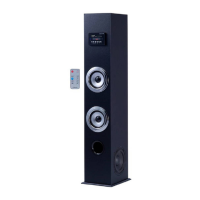
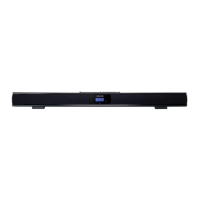
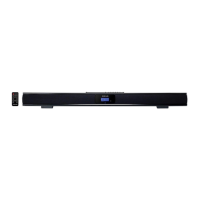
29 INCH STEREO
SOUND BAR SYSTEM
with Digital Optical Input and
Bluetooth
®
Wireless Technology
Model: CHT985
PLEASE READ BEFORE OPERATING THIS EQUIPMENT.
Owner's Manual
29 INCH STEREO
SOUND BAR SYSTEM
with Digital Optical Input and
Bluetooth
®
Wireless Technology
Size: 148.5(W) x 210(H)mm (A5)

Questions and Answers

  • C
    christophermartinezAug 3, 2025
    How to troubleshoot Craig Speaker System when it has no power?
    • R
      russelltheresaAug 3, 2025
      If your Craig Speaker System isn't powering on, there are a couple of things to check: * Make sure the adapter is securely connected to both the speaker unit and the wall outlet. * If the unit is in standby mode, press and hold the STANDBY/SOURCE button on the unit or the power button on the remote control to turn it on.
  • B
    Brittany BarkerAug 10, 2025
    What to do if my Craig CHT985 Speaker System has no sound or the sound is weak?
    • L
      logan17Aug 10, 2025
      If you're experiencing no sound or weak sound from your Craig Speaker System, try the following: * Increase the volume level by repeatedly pressing the + button on the top of the unit or the VOL+ button on the remote control. * Ensure that the paired/connected device is playing music or a movie and that its volume is set to a high level. * Verify that the input source is correct by pressing the STANDBY/SOURCE button on the unit or the SOURCE button on the remote control to switch to the desired mode.
  • S
    Steven ChavezAug 18, 2025
    How to fix a Craig CHT985 Speaker System remote control that is not working?
    • K
      Kimberly RileyAug 18, 2025
      If the remote control for your Craig Speaker System isn't working, consider these solutions: * Ensure that you are pointing the remote control towards the remote sensor on the unit and are within a 16-foot range, with a +/- 30-degree angle. * Replace the batteries in the remote control with a new button cell.
  • J
    Jeffrey WaltonAug 26, 2025
    What to do if Craig CHT985 has Bluetooth reception failure?
    • D
      David OwenAug 26, 2025
      If you're experiencing Bluetooth reception failure with your Craig Speaker System: * Make sure that the external Bluetooth device is close to the unit. * If you haven't already, pair the unit with the Bluetooth device.

Summary

Craig Sound Bar System Overview

Important Safety Instructions

Electrical Safety and FCC Compliance

Covers electrical shock warnings, FCC regulations, and interference prevention measures.

General Operating Safety Guidelines

Details safe practices for product use, servicing, and environmental considerations.

Power Source and Installation

Location of Controls and Connections

Unit Control and Port Identification

Identifies speakers, indicators, and input/output jacks on the front, rear, and top views.

Remote Control Operation and Battery

Explains remote button functions and how to install/replace the battery.

Battery and Remote Operation Details

Battery Precautions for Safe Use

Essential safety guidelines for handling and using batteries in the device.

Operating the Sound Bar

Cleaning and Troubleshooting

Craig CHT985 Specifications

General IconGeneral
BrandCraig
ModelCHT985
CategorySpeaker System
LanguageEnglish

Related product manuals