OPERATION (CONTINUED)
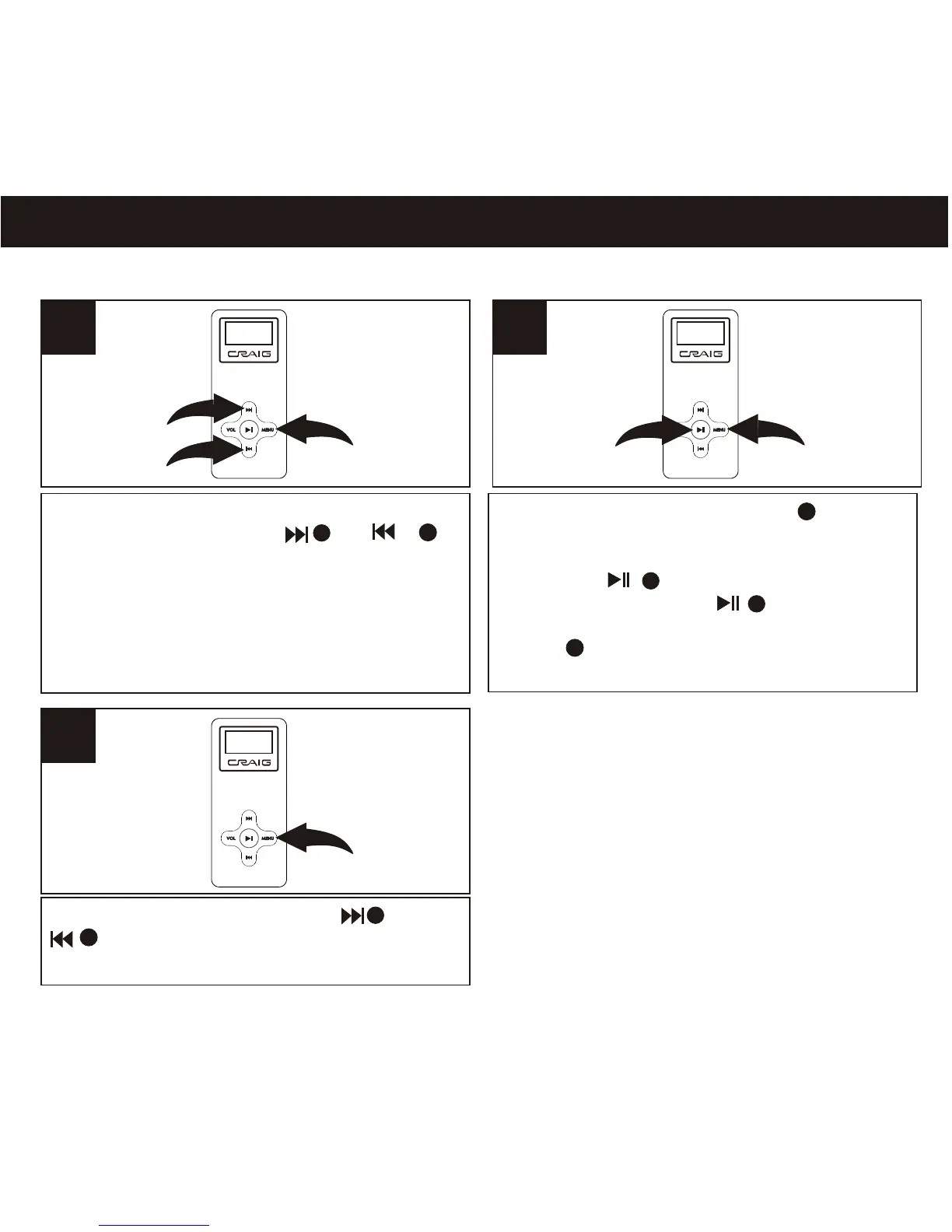
RECORDING A VOICE MESSAGE
1
Enter to menu as page 12. Select
RECORDER using the or
button.
12weq
3
2
16
2
Press and release the MENU button
to start recording. Speak into the
microphone at a normal tone of voice.
Press the button to pause
recording. Press the button again
to resume recording.
button to save the recording file.
Press and release
MENU
2
1
2
1
3
Select EXIT by pressing the or
then press MENU button to exit
recording mode.
abt
as ,
NOTES:
The recording is not affected by the Volume setting as the recording level is set automatically.
1
2
3
1
2
2
3
3
3



 To Next Page