SETTING THE MENU (CONTINUED)
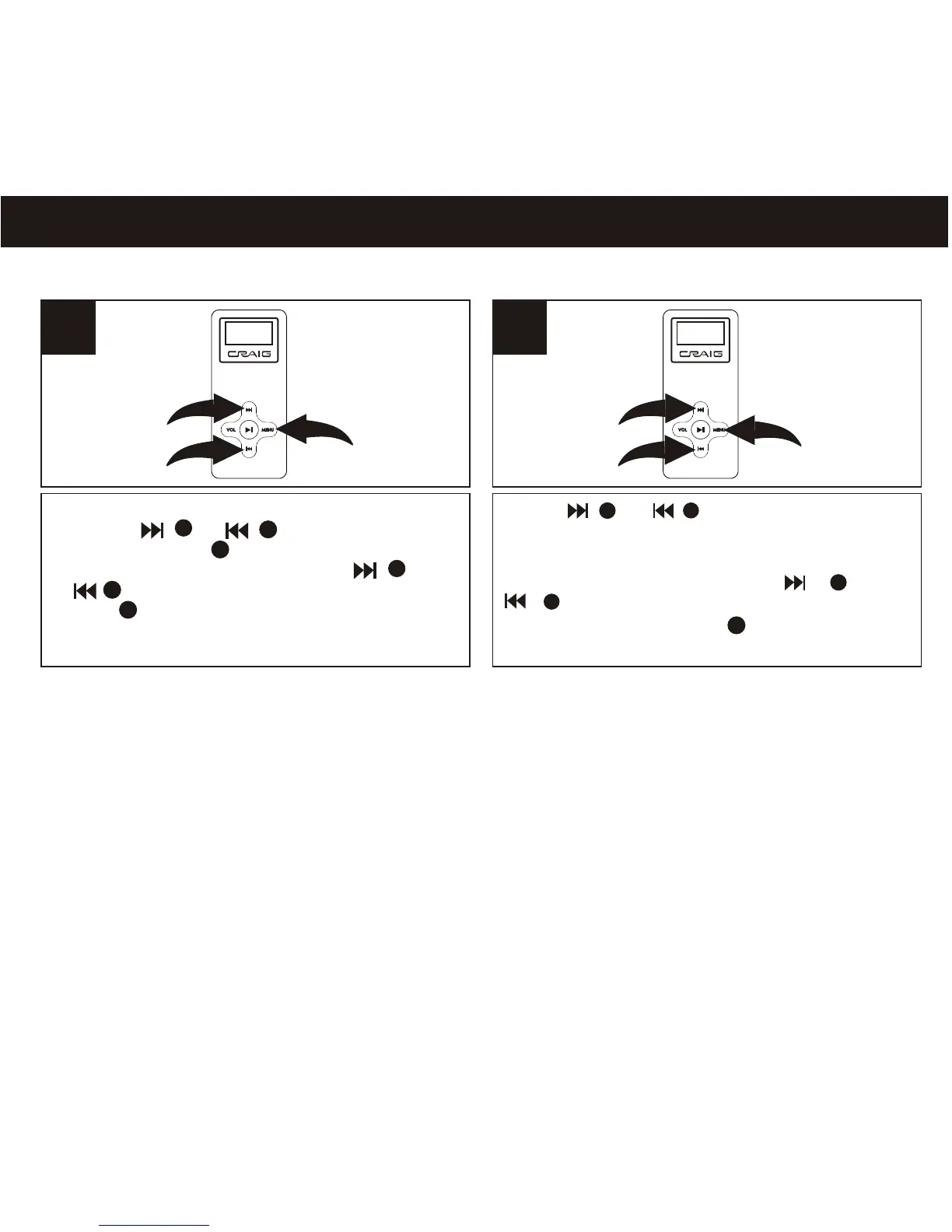
SETTING THE RECORD MODE
Press or button go to Bitrate
setting. Press the MENU button to select
the recording bit rate from 32kbps,
64kbps or 128kbps. Press or
button to select EXIT. Press and
hold the MENU button one second
return to normal playback mode.
abbbb
1
2
2
1
21
1
2
3
3
1
2
3
1
2
Enter to menu as page 12. Select SYSTEM
using the or button, then
press the MENU button again to select it.
Select RECORD SET using the
or button, then press the MENU
button again to select it.
3
2
1
2
1
3



 To Next Page