EasyManua.ls Logo

Craig CS1203 - User Manual

Craig CS1203
10 pages
Print Icon
To Next Page IconTo Next Page
Loading...
Model CS1203:
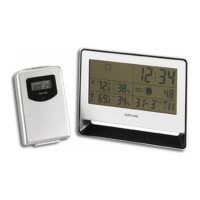
WIRELESS WEATHER STATION

Questions and Answers

  • M
    Michael BonillaAug 2, 2025
    Why is my Craig CS1203 Weather Station not showing temperature and humidity from the portable sensor?
    • S
      Stacie FrancoAug 3, 2025
      There are a couple of reasons why the temperature and humidity might not be showing on the main unit of your Craig Weather Station. It could be that the portable sensor is too far away from the main unit, in which case you should try placing them closer together. Another possibility is that the transmit and receive channels between the main unit and the portable sensor are different. Ensure they are set to the same channel.
  • D
    Denise EnglishAug 10, 2025
    What to do if my Craig CS1203 displays the wrong temperature unit?
    • T
      Tonya DixonAug 10, 2025
      If your Craig Weather Station is displaying the temperature in the wrong unit (Celsius or Fahrenheit), it is likely due to incorrect settings. To correct this, repeatedly press the DOWN button to set the unit of temperature to either Celsius (ºC) or Fahrenheit (ºF) as desired.
  • R
    Roger ShahAug 17, 2025
    How to fix incorrect hour format on Craig CS1203 Weather Station?
    • R
      Rachel MarshallAug 17, 2025
      If the hour format is incorrect on your Craig Weather Station, it means the settings are wrong. To fix this, repeatedly press the UP button to set the display format to either 12 or 24 hour as desired.
  • B
    Brian PhillipsAug 26, 2025
    How to resolve dim segments or non-workable display on Craig Weather Station?
    • D
      Debbie BatesAug 26, 2025
      If your Craig Weather Station is not working or the segments are dim, the batteries may be consumed. Replace them with new batteries.

Summary

FCC Compliance and User Information

FCC Regulatory Information

Details compliance with Part 15 of FCC Rules for device operation and interference.

User Cautionary Notes

Advises on modifications and Class B digital device compliance for user authority.

Main Unit Control Layout

Main Unit Setup Procedures

Portable Sensor Setup and Operation

Sensor Pairing and Placement

Instructions for transmitting signal and placing the portable sensor for detection.

Battery Precautions and Handling

Battery Safety Guidelines

Guidelines for proper battery usage, handling, and disposal to prevent damage.

On-Screen Indicator Guide

Operation and Settings Guide

Time Setting Procedure

Detailed steps for setting year, month, day, day of week, hour, minute, and second.

Alarm Setting Procedure

Steps for setting the alarm time, including PM indicator and activation/cancellation.

Alarm Function Management

Troubleshooting Common Issues

Problem Diagnosis and Solutions

Addresses issues like non-workable device, missing sensor data, incorrect temperature unit, or hour format.

Craig CS1203 Specifications

General IconGeneral
Display TypeLCD
Indoor TemperatureYes
Outdoor TemperatureYes
Weather ForecastYes
Humidity Range20% to 95%
Power Source2 x AAA batteries (not included)