d the device which is already connected to the router
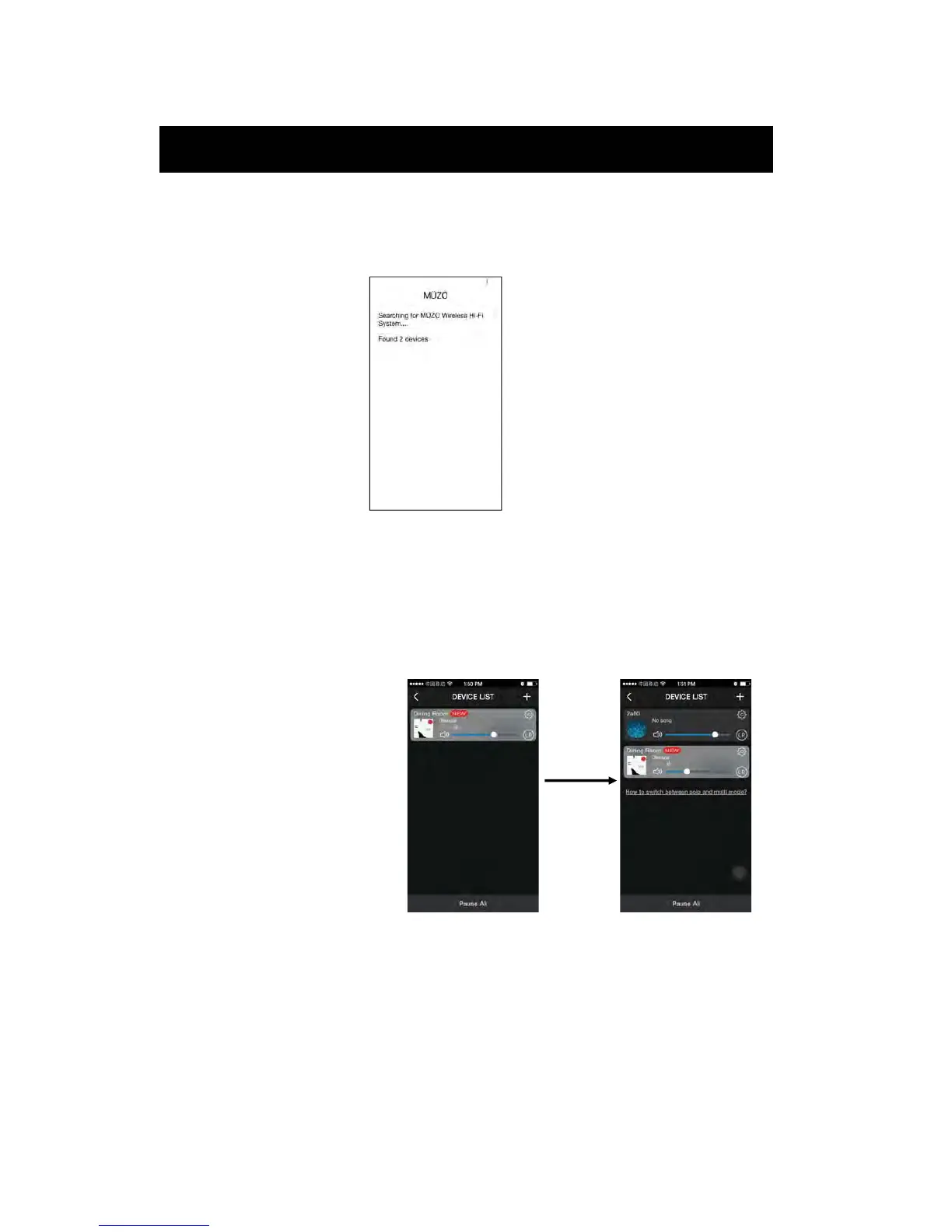
A. Connect phone to the same router as the devices.
B. Open the app, it will search all the devices.
dd the device which is not connected to the router
If you want to add other device which is not connected to the router,
you can follow the operations below:
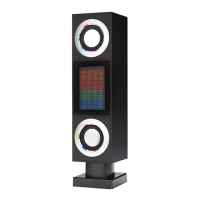
1. Click “+” on DEVICE
LIST interface, you can add
the device according to the
steps;
2. After finished, the new
added device will appear in
the DEVICE LIST
6
Setup
Ad
A



 To Next Page