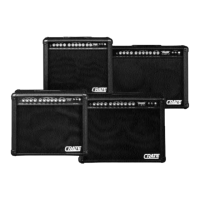
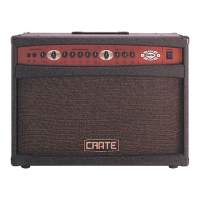
DX-112/212 Digital Guitar Amplifier
18
Effect Effect Adjust knob controls: Tap button controls: See Note(s)
Touch Wah Sensitivity (Auto-Wah only) ——
Compressor Ratio (See Below
*
) ——
Tremolo Depth of Amplitude Modulation Speed: 2 cycles/tap
Vibrato Depth of Pitch Modulation Speed: 2 cycles/tap
Chorus Level of Chorused Signal Speed: 1 cycles/tap
Flanger Max. Time Delay: 0–5ms Speed: 1/4 cycle/tap 1
Delay Level of Delayed Signal Time: .033–1.12 sec 2
Echo Regeneration Time: .033–1.12 sec 2
Rotating Speaker Depth of Amplitude/Pitch Mod’n Speed: 2 cycles/tap
Chorus/Echo Chorus Level, Echo Regeneration Chorus Speed: 1 cycle/tap, 2
Echo Time: .033-1.12 sec
Flange/Echo Echo Regeneration Flange Speed: 1/4 cycle/tap, 1,2
Echo Time: .033-1.12 sec
Compressor/Vibrato/Echo Vibrato Depth, Echo Regeneration Vibrato Speed: 2 cycles/tap, 2,3
Echo Time: .033-1.12 sec
Compressor/Chorus/Echo Chorus Level, Echo Regeneration Chorus Speed: 1 cycle/tap, 2,3
Echo Time: .033-1.12 sec
Compressor/Flange/Echo Echo Regeneration Flange Speed: 1/4 cycle/tap, 1,2,3
Echo Time: .033-1.12 sec
Compressor/Chorus Chorus Level Chorus Speed: 1 cycle/tap 2,3
Compressor/Echo Echo Regeneration Echo Time: .033-1.12 sec 2,3
Note 1: Mix fixed at 50%
Note 2: Tap periods exceeding 1.12 seconds are automatically adjusted to an allowable echo/delay time that fits the current tempo
Note 3: Compression ratio fixed at 10:1
*
The table to the right shows how the Effect
Adjust control changes the compression ratio
when the Compressor ONLY is chosen.
approx rotation of compression
Effect Adjust control (%) ratio
0 1:1
30 2:1
40 3:1
50 4:1
60 6:1
70 10:1
80 20:1
90 100:1
100
∞
:1
(no compression)
EEFFFFEECCTTSS


 To Next Page