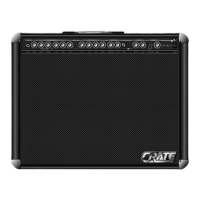
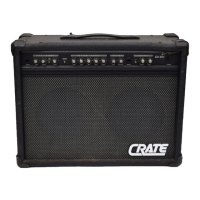
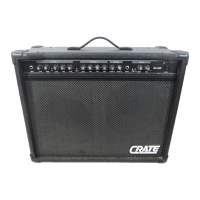
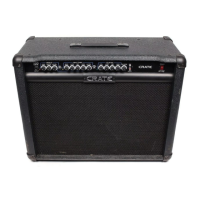
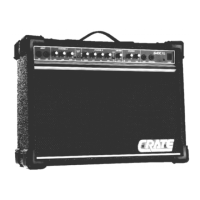
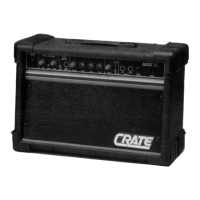
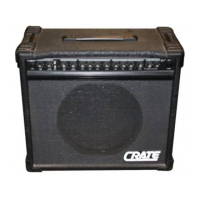
The CRATE GX-130C is a stereo chorus amplifier designed for guitarists, offering a range of features for both clean and distorted sounds, as well as stereo effects.
Function Description
The GX-130C features two distinct channels: a Lead Channel and a Rhythm Channel. The Lead Channel is optimized for high-gain applications, producing medium to heavy distortion. The Rhythm Channel is a lower-gain channel suitable for clean to medium distortion sounds. Both channels share common controls for reverb and an effects loop, allowing for integration with external effects devices. A dedicated Chorus Section provides stereo chorus effects with adjustable depth and rate. The amplifier also includes various input and output options for versatile connectivity, including speaker outputs for stereo operation, line outputs for recording or connecting to other amplifiers, and footswitch jacks for remote control of channel selection, reverb, and chorus.
Usage Features
- 0dB Input jack (1): Accepts a standard 1/4" phone plug, suitable for low to line level signal sources.
- -6dB Input jack (2): Provides 6dB of padding for hotter inputs. If both jacks are used, this jack is not padded and will be equal to the 0dB input.
Lead Channel Controls:
The Lead Channel is designed for medium to heavy distortion.
- Gain (3): Sets the level of distortion.
- Low (4): Adjusts the amount of low-frequency tone.
- Shape (5): Adjusts the general tone. Counter-clockwise emphasizes mid-range frequencies, while clockwise emphasizes low and high frequencies.
- High (6): Adjusts the amount of high-frequency tone or "presence."
- Level (7): Controls the overall volume and should be used in conjunction with the Gain control (3).
Channel Switching Controls:
- Lead Channel Indicator LED (8): Illuminates when the amplifier is in Lead Channel mode.
- Channel Select switch (9): Used to select either Lead or Rhythm Channel. This switch is defeated if an external footswitch is used.
- Rhythm Channel Indicator LED (10): Illuminates when the amplifier is in Rhythm Channel mode.
Rhythm Channel Controls:
The Rhythm Channel is a low-gain channel designed for clean to medium distortion.
- Gain (11): Sets the overall gain of the Rhythm Channel. Lower settings are for clean sounds, and higher settings for distortion.
- Low (12): Adjusts the amount of low-frequency tone.
- Mid (13): Adjusts the amount of mid-range frequency tone.
- High (14): Adjusts the amount of high-frequency tone.
- Bright switch (15): Gives this channel a brighter tone.
- Level (16): Controls the overall volume and should be used in conjunction with the Gain control (11).
Common Controls:
These features are common to both channels.
- Reverb (17): Controls the amount of reverb.
- Effects Loop Send 1/4" jack (18): Used to connect to the input of an external effects device.
- Effects Loop Level switch (19): Changes the signal level of the effects loop to be acceptable to different external effects devices. When the effects loop is being used, this switch should be set to the position of the lowest noise and distortion.
- Effects Loop Return 1/4" jack (20): Used to connect to the output of an external effects device.
Chorus Section:
- Chorus switch (21): Turns on the stereo chorus effect.
- Depth (22): Sets the amount of chorus effect.
- Chorus Indicator LED (23): Illuminates when the chorus effect is on. The indicator will also pulsate to show the rate of chorusing. To reduce noise, the chorus is designed to sweep only when a signal is present.
- Rate (24): Sets the rate of sweep of the chorus and may be used in conjunction with the depth control to create effects from smooth phasing to heavy vibrato.
Power Indicators and Switches:
- Power Indicator LED (25): Illuminates when the unit is turned on.
- Power switch (26): Turns AC power on or off.
Rear Panel:
- Channel Select/Reverb Footswitch jack (27): For use with the channel select/reverb footswitch.
- Chorus Footswitch jack (28): For use with the chorus footswitch.
- Mono Line Output (29): Provides a mono mix output for connecting to a tape recorder, mixing board, additional power amplifier, or the mono input of an external effects device.
- Stereo Line Output 1/4" jack (30): Provides stereo line outputs.
- Stereo Line Input 1/4" jack (31): Provides direct access to the power amps and may be used in conjunction with the line output jacks as a stereo effects loop.
- Speaker Output jacks (32): The left and right power amps each have two output jacks wired in parallel for speaker connection. The total impedance for each side should not be less than 4 ohms.
- Power Cord (33): The GX-130C is equipped with a heavy-duty grounded three-wire power cord. Ensure it is properly plugged into a safely wired grounded 120 volt, 60Hz power outlet before use. If the unit was purchased outside of the United States, refer to the rear panel for power ratings. For safety, never attempt to defeat the ground connection on this cord.
Maintenance Features
The manual states that the GX-130C is an American product, manufactured at the factory in St. Louis, Missouri, using the finest available components and materials. All Crate products undergo seven or more inspection and testing steps to assure a high-quality product. The final test for each amplifier is conducted by a trained musician, ensuring that any unit not meeting the standards of a musician's discriminating ear will not be passed.
To reduce the risk of electric shock, do not open the chassis. There are no user-serviceable parts inside. Refer servicing to qualified service personnel. This emphasizes that internal maintenance should only be performed by trained professionals to ensure safety and proper functioning of the device.

 Need help?
 General

 To Next Page