EasyManua.ls Logo

CRE 3000 - Play Music

CRE 3000
22 pages
Print Icon
To Next Page IconTo Next Page
To Previous Page IconTo Previous Page
Loading...
Under the directory menu,press “menu button” , you can perform to modify, add or
remove files.
Other applications operation is the same.
Movie Playback Menu
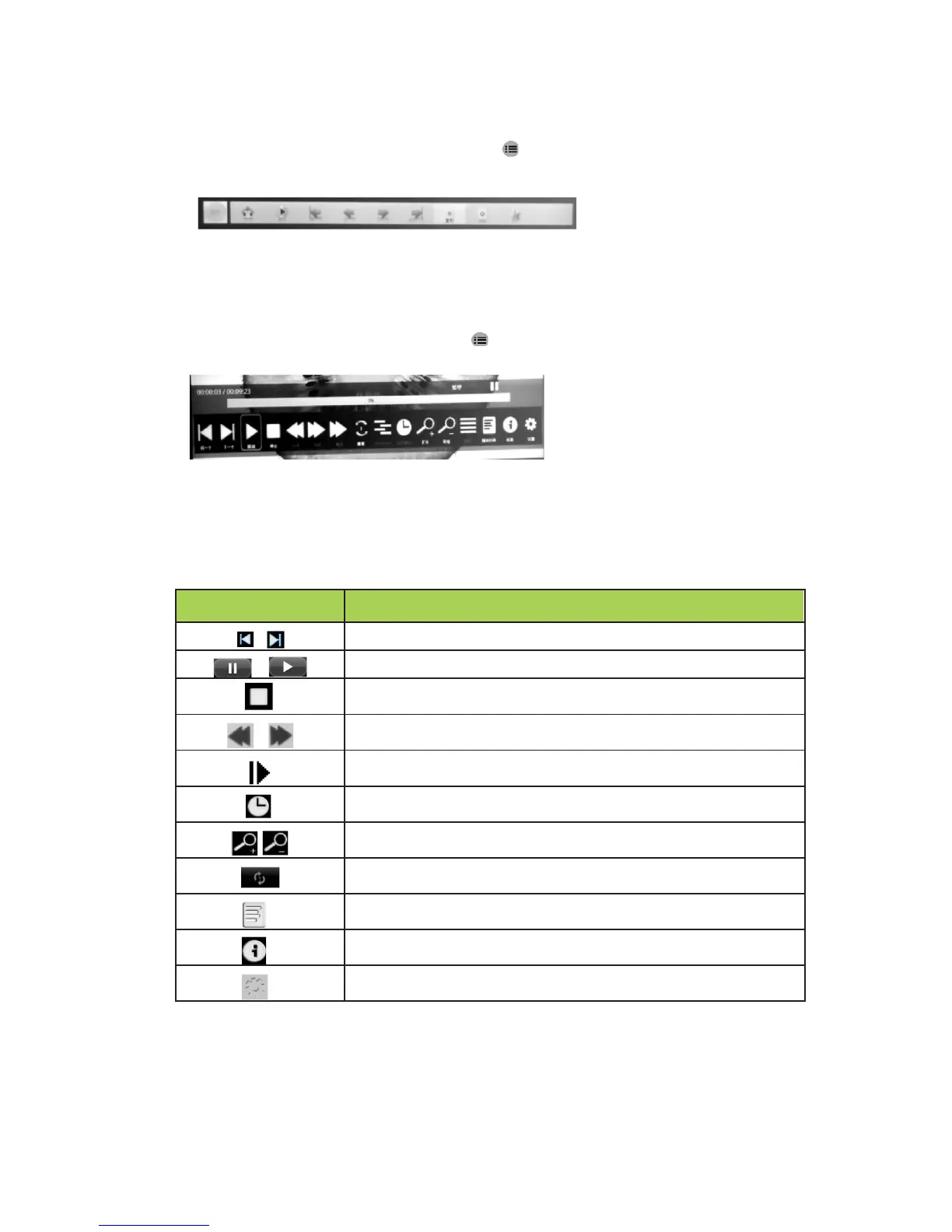
When playing movie ,press “menu button” ,the “playback menu “as following will
jump out .
If the time that the user don’t operate the menu over 15 seconds, the “ playback
menu” will automatically disappear.
Control functions described in the following table:

Button
Function
/
Return to previous one/ Forward to next one
/
Pause / Play
Stop playing
Fast backward/ Fast forward
Slow play
Set special time frame to play
Zoom in/ Zoom out
Loop playback
Movie play list
Movie information
Setting(Image& Sound Mode/Ratio Mode/Brightness Mode/
3D Setting)
9