Chapter 4 Screen Display(OSD)Setting
OSD Menu Control
Projector have screen display (OSD) setting menu,which could be used to adjust
and change setting.
OSD Menu have 5 menus:
Note:
•If usder don’t operate OSD Menu over 15 seconds,OSD Menu will close automatically.
•Because of different signal sources, OSD items could be settled will be different.
So not all the OSD items could be settles when connected to one signal source.
For example ,If projector is connected to PC via VGA,user can alter the“Horizontal
position/ Vertical Position of “Picture>Screen”.If connected to other signal source,this
setting could not be changed and display by gray color.
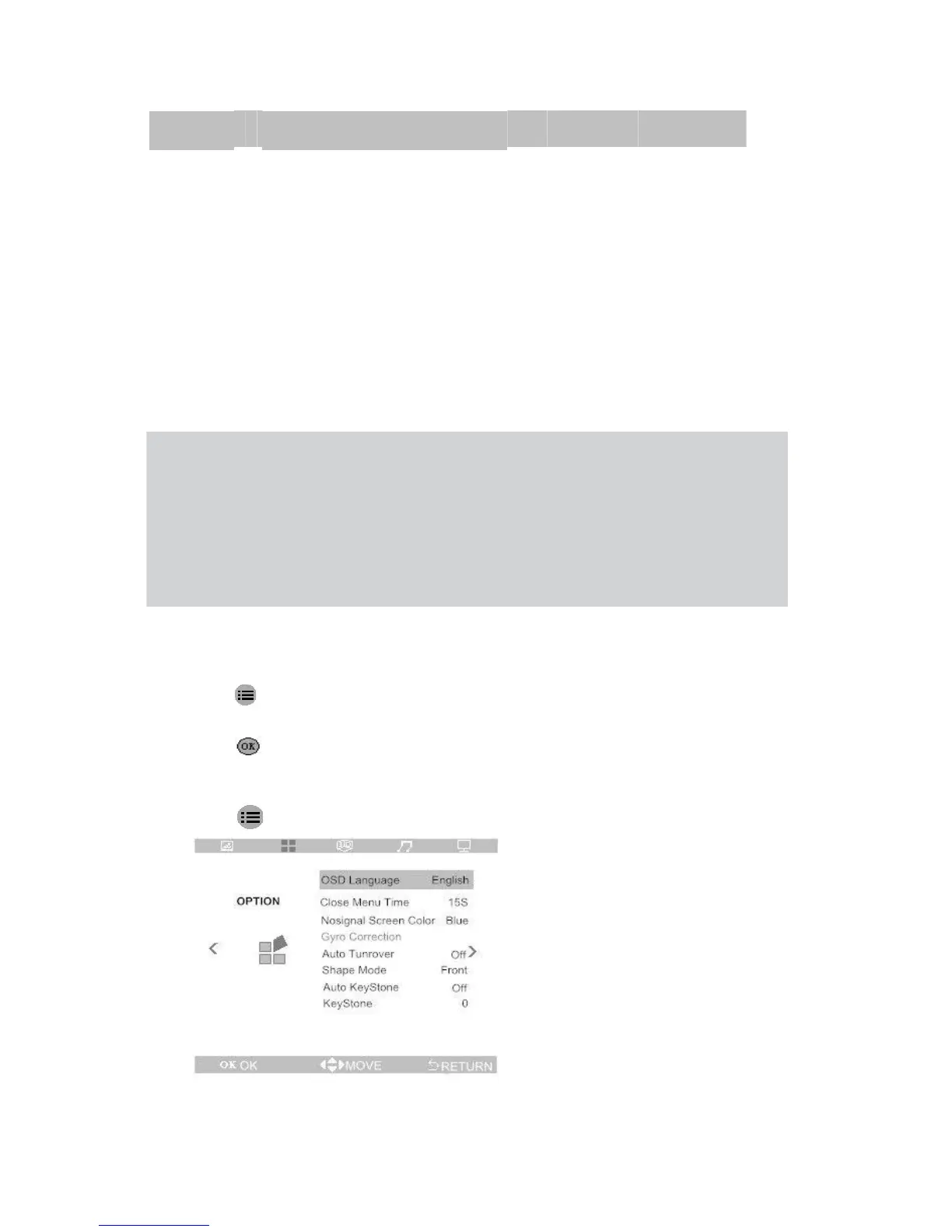
Set OSD Language
OSD Display language can swift,if change OSD language,do it as following:
1.Press Enter OSD menu,Press ◄ and ► button go to “OPTION” Page.
2.
Press ▲and ▼move to “OSD language” .
3.Press
enter to set language menu(submenu).
4.Press◄ and ►button,till to the language you want.
5.Press
to save setting and go back to last menu.
12


 To Next Page