View photos
If you want to see a photo via photo browser, do as follow steps
1. Press button ◄ and ► on media center menu to select “Photo ” icon.
2. Press button to open the document directory.
3. Press button ◄ and ► , select the folder which include the photo you need
4. Press to select the photo.
5. Press to play the selected photo.
On the directory menu, press “menu button” ,you can add or delete document.
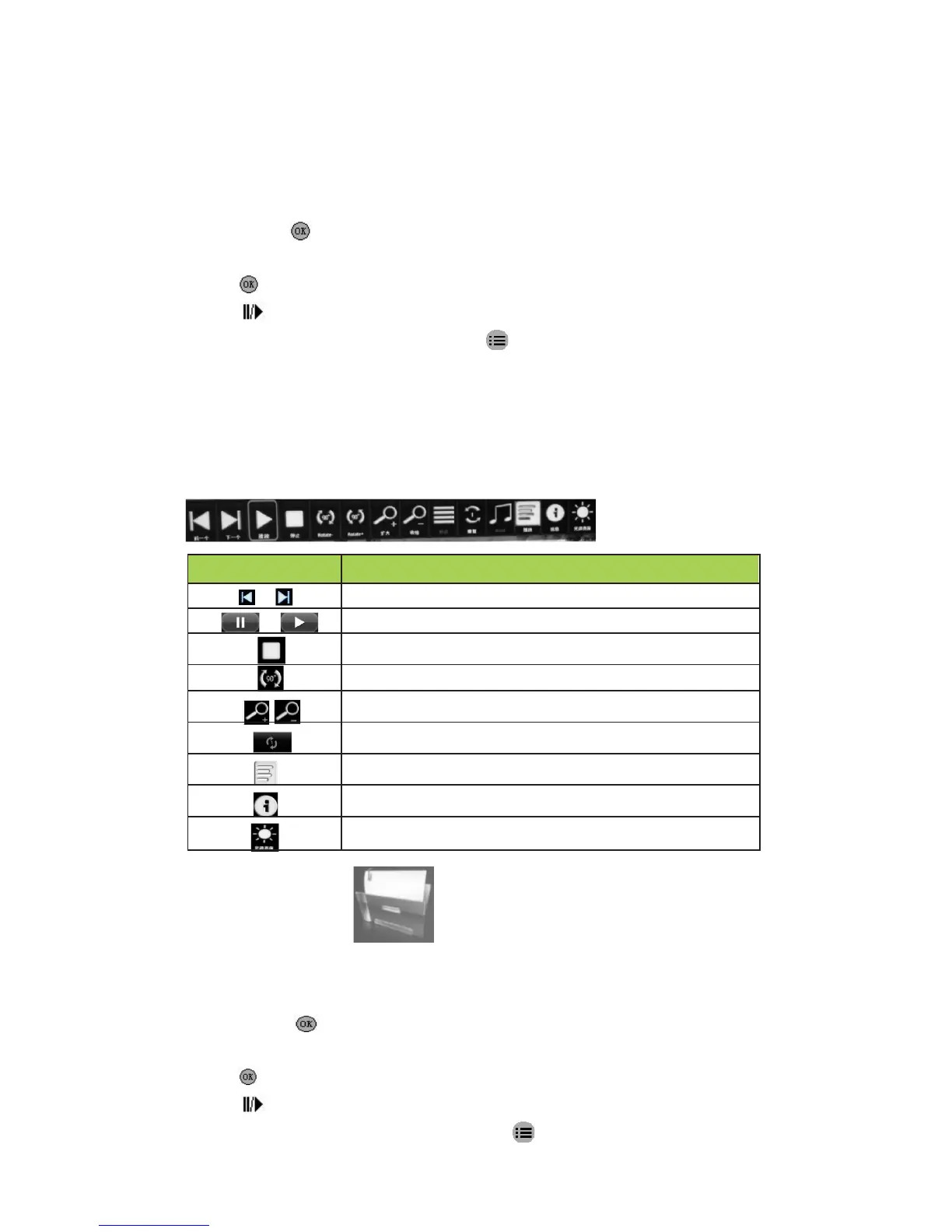
Photo Playback Menu
Photo browser control as below:
Return to previous one/ Forward to next one
Light source working mode(Text. Image. Saving)
Document browser
If you want to read a document via file browser,do as follow steps:
1. Press button ◄ and ► on Media Center Menu to select “File” icon
2. Press button to open the document directory
3.Press button ◄ and ► , select the folder which include the document you need
4.Press to select the .
5.Press to play the selected photo.
On the directory menu, press button”menu button” ,you can add or delete document.
11


 To Next Page